Skip to content
View in the app

A better way to browse. Learn more.

BariatricPal

A full-screen app on your home screen with push notifications, badges and more.

To install this app on iOS and iPadOS
  1. Tap the Share icon in Safari
  2. Scroll the menu and tap Add to Home Screen.
  3. Tap Add in the top-right corner.
To install this app on Android
  1. Tap the 3-dot menu (⋮) in the top-right corner of the browser.
  2. Tap Add to Home screen or Install app.
  3. Confirm by tapping Install.

Add your before/current pic here!

Because I LOVE looking at before and afters, here's a thread to add them to!!

post-21673-13813812750225_thumb.png

  • Replies 83
  • Views 7.1k
  • Created
  • Last Reply

Featured Replies

Ok!

5 months out...approx 100lbs down

post-29068-13813812752143_thumb.jpg

post-29068-13813812753102_thumb.jpg

Here are my 1 year pics

post-19758-13813812756038_thumb.jpg

post-19758-13813812757009_thumb.jpg

post-19758-13813812757776_thumb.jpg

[ATTACH]4482[/ATTACH]

[ATTACH]4483[/ATTACH]

First pic on each one was taken a few weeks before my surgery and the new ones were last weekend.

HW:331 SW:319 11-26-12 CW: 199 8-6-13 GW:170

post-25841-13813812758594_thumb.png

post-25841-13813812759352_thumb.png

  • Author

Oh I am just LOVING this thread!!

Hw 240..Sw 239..Cw 160...6 mos post op

[ATTACH]4484[/ATTACH]

post-30417-13813812760143_thumb.jpg

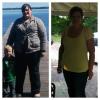
Red dress from March 271lbs. Yellow shirt from last week at work 222lbs.

Sent from my iPhone using RNYTalk

post-35076-13813812760719_thumb.jpg

post-35076-13813812761149_thumb.jpg

This is from today, and the day before surgery. 101 lbs lost. :)

post-19619-13813812761929_thumb.jpg

Great Job... all of you ladies.. I cant wait to join you.

60 days!

You all look beautiful !!

post-10196-13813812762218_thumb.jpg

Surgery was April 25, down 50lbs....

[ATTACH]4491[/ATTACH]

[ATTACH]4492[/ATTACH]

post-30518-13813812763148_thumb.jpeg

post-30518-13813812763605_thumb.jpeg

HW 229, sw (3/14) 214, CW 160

(These pics aren't at my highest, they are about 30 lbs less)

HW 229, SW 214, CW 160 RNY 3/14/13

post-30922-13813812764158_thumb.jpg

post-30922-13813812765129_thumb.jpg

Archived

This topic is now archived and is closed to further replies.

Trending Products

PatchAid Vitamin Patches

Account

Navigation

Search

Search

Configure browser push notifications

Chrome (Android)
  1. Tap the lock icon next to the address bar.
  2. Tap Permissions → Notifications.
  3. Adjust your preference.
Chrome (Desktop)
  1. Click the padlock icon in the address bar.
  2. Select Site settings.
  3. Find Notifications and adjust your preference.