Skip to content
View in the app

A better way to browse. Learn more.

BariatricPal

A full-screen app on your home screen with push notifications, badges and more.

To install this app on iOS and iPadOS
  1. Tap the Share icon in Safari
  2. Scroll the menu and tap Add to Home Screen.
  3. Tap Add in the top-right corner.
To install this app on Android
  1. Tap the 3-dot menu (⋮) in the top-right corner of the browser.
  2. Tap Add to Home screen or Install app.
  3. Confirm by tapping Install.
  • Appearance

Join BariatricPal free

  • Ask your own questions
  • Reply and follow topics
  • Message other members
  • No cost, no spam

The flexible "like" button...

  • Popular Post

The "like" button here means more than like to me. When someone is relating a problem it means empathy not that I like that they are having a problem. When they are having a battle it means support. When they have a victory it means applause. When they make a good point I am saying, "Here,Here!" When they tell a funny I am chuckling along.

I would guess that you feel and think things that I have not mentioned when you hit the button.

Having a row of more specific buttons would present problems with the reputation point system. At the risk of being misunderstood, I still like the "like". :)

  • Replies 50
  • Views 3.4k
  • Created
  • Last Reply

Top Posters In This Topic

Most Popular Posts

Posted Images

Featured Replies

  • Author

Hey I'm making friends here everyday!

Why just today I made friends with two newbies!!

:D

Ya, I do that. Get 'em before they figure me out. :huh:

  • Author

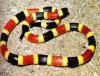
Did you just call me a snake?

:mellow:

In an Iowan colloquial sense a snake is an attractive woman. However, the aversion factor of the coral snake would offset any schmooze effectiveness.

I am not sure what this means either.

In an Iowan colloquial sense a snake is an attractive woman. However' date=' the aversion factor of the coral snake would offset any schmooze effectiveness.

I am not sure what this means either.[/quote']

Here you go....

post-43821-13813669807165_thumb.jpg

Join the conversation

You can post now and register later. If you have an account, sign in now to post with your account.

Guest
Reply to this topic...

Account

Navigation

Search

Search

Configure browser push notifications

Chrome (Android)
  1. Tap the lock icon next to the address bar.
  2. Tap Permissions → Notifications.
  3. Adjust your preference.
Chrome (Desktop)
  1. Click the padlock icon in the address bar.
  2. Select Site settings.
  3. Find Notifications and adjust your preference.