Skip to content
View in the app

A better way to browse. Learn more.

BariatricPal

A full-screen app on your home screen with push notifications, badges and more.

To install this app on iOS and iPadOS
  1. Tap the Share icon in Safari
  2. Scroll the menu and tap Add to Home Screen.
  3. Tap Add in the top-right corner.
To install this app on Android
  1. Tap the 3-dot menu (⋮) in the top-right corner of the browser.
  2. Tap Add to Home screen or Install app.
  3. Confirm by tapping Install.

Let's SEE pics!

  • Replies 94
  • Views 9.2k
  • Created
  • Last Reply

Featured Replies

Y'all look great!!!

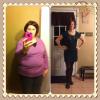
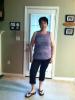
Here's my 1 week photos. I'll be taking a new set next week.

post-55753-1381366728115_thumb.jpg

post-55753-13813667282202_thumb.jpg

Y'all look great!!!

Here's my 1 week photos. I'll be taking a new set next week.

You lookn wonderful, what a gr8 change alrdy:)

You lookn wonderful, what a gr8 change alrdy:)

Thanks!!

Hey Michelle! Was that Bret Michaels???? You're looking good!

Hey Michelle! Was that Bret Michaels???? You're looking good!

Yes it was lol, he was so nice and great in concert! Thanks

Sent from my iPhone using VST

All of you all look really good! Its amazing how much younger u look when u lose all the weight!! Im 37, hopin to look 25 by this time next year :D

Thank you all for Sharing your pictures. You all look wonderful, healthier and younger. I can't wait to be on the loser's bench too.

Looking strong "kingox"! Way to go!

  • Author

HW: 266

SW: 252

SD: 236--> 11/28

CW: 171

GW: 155

NEED 16 more lbs to meet GOAL!!! :-)

AND ALL OF U LOOK GREAT!!!

WTG every1 :-)

HW: 266

SW: 252

SD: 236--> 11/28

CW: 171

GW: 155

NEED 16 more lbs to meet GOAL!!! :-)

AND ALL OF U LOOK GREAT!!!

WTG every1 :-)

Wtg to u as well!! And gl w the last 16:))

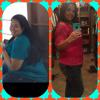
post-35290-13813667296097_thumb.jpg

Archived

This topic is now archived and is closed to further replies.

Trending Products

PatchAid Vitamin Patches

Account

Navigation

Search

Search

Configure browser push notifications

Chrome (Android)
  1. Tap the lock icon next to the address bar.
  2. Tap Permissions → Notifications.
  3. Adjust your preference.
Chrome (Desktop)
  1. Click the padlock icon in the address bar.
  2. Select Site settings.
  3. Find Notifications and adjust your preference.