





laurielee83
Gastric Sleeve Patients
-
Joined
-
Last visited
Everything posted by laurielee83
-
I would b happy with that too!! I guess just as long as I'm not gaining .
-
Congrats u look amazing!
-
Did u do Sumthing different to start losing again? I havnt lost in 3 months . Congrats on the weight loss u look amazing!!
-
Congrats!!!
-
Thank u sooo much !!!!
-
Down 100+

-
Are the energy pills working.. I'm thinking of getting b12 shots
-
Can't seem to get back on track... Feel no energy at all. Anybody having problems?
-
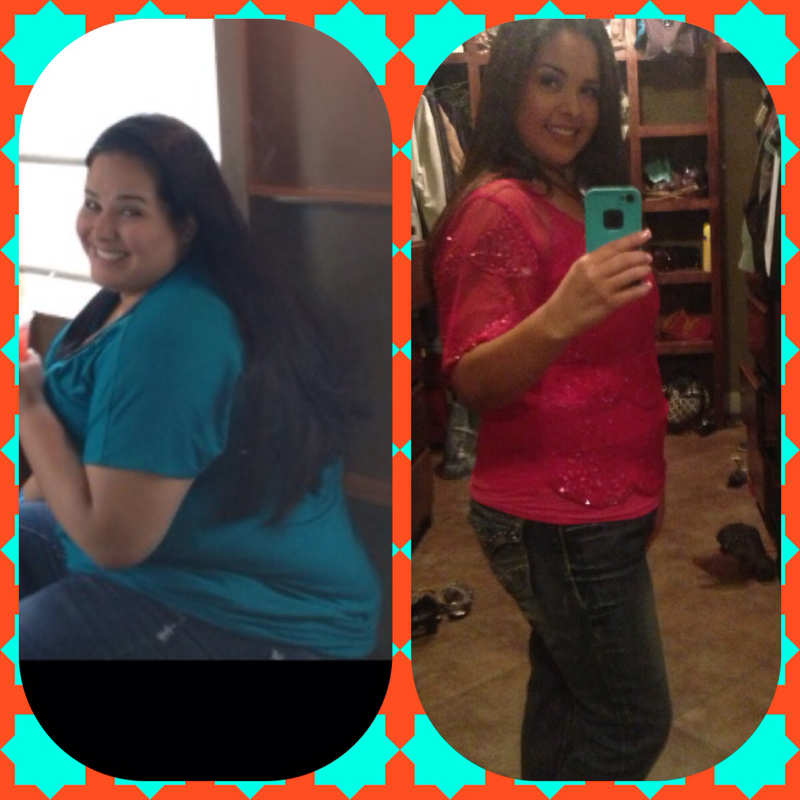
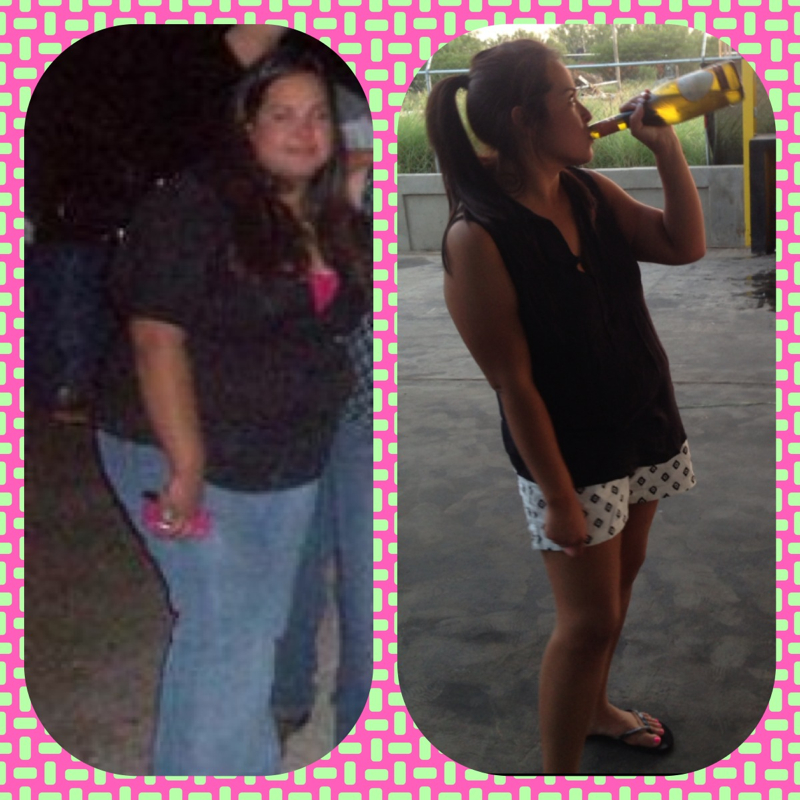
Starting weight was 266 current weight 171
-
:-)))

-
U look amazing!!!!
-
U LOOK AMAZING! What r ur STATS?
-
Had surgery 11-28 Total loss : 95 lbs Total loss w/ sleeve :65 lbs
-
AMAZING!! U look great!!
-
HW: 266 SW: 252 SD: 236--> 11/28 CW: 171 GW: 155 NEED 16 more lbs to meet GOAL!!! :-) AND ALL OF U LOOK GREAT!!! WTG every1 :-)
-
Lmk if this one workedI can see them :-/... I'll try again ladies !So I just worked on these pics and finally decided to share!! Would love to SEE how ppl r doing!! Let's share our success!!Well I say every1 needs to start ignoring these ppl that way they have no1 to judge but themselves.... :-)So the pic on ur right ur 191lbs... U look like u weigh a lot less!!! U look really good...yeah to the flat belly :-) I want that!! Lol..well congrats on the weight Loss and u will get back on track we all have r bad days!! Good luck!!


Account
Navigation
Search
Configure browser push notifications
Chrome (Android)
- Tap the lock icon next to the address bar.
- Tap Permissions → Notifications.
- Adjust your preference.
Chrome (Desktop)
- Click the padlock icon in the address bar.
- Select Site settings.
- Find Notifications and adjust your preference.
Safari (iOS 16.4+)
- Ensure the site is installed via Add to Home Screen.
- Open Settings App → Notifications.
- Find your app name and adjust your preference.
Safari (macOS)
- Go to Safari → Preferences.
- Click the Websites tab.
- Select Notifications in the sidebar.
- Find this website and adjust your preference.
Edge (Android)
- Tap the lock icon next to the address bar.
- Tap Permissions.
- Find Notifications and adjust your preference.
Edge (Desktop)
- Click the padlock icon in the address bar.
- Click Permissions for this site.
- Find Notifications and adjust your preference.
Firefox (Android)
- Go to Settings → Site permissions.
- Tap Notifications.
- Find this site in the list and adjust your preference.
Firefox (Desktop)
- Open Firefox Settings.
- Search for Notifications.
- Find this site in the list and adjust your preference.