scorpio2479
Gastric Sleeve Patients
-
Joined
-
Last visited
-
-
-
-
-
-
-
-
-
-
-
[ATTACH]40140[/ATTACH]

-
I too had my sleeve done by Dr Kim & I'm beyond pleased!!!
-
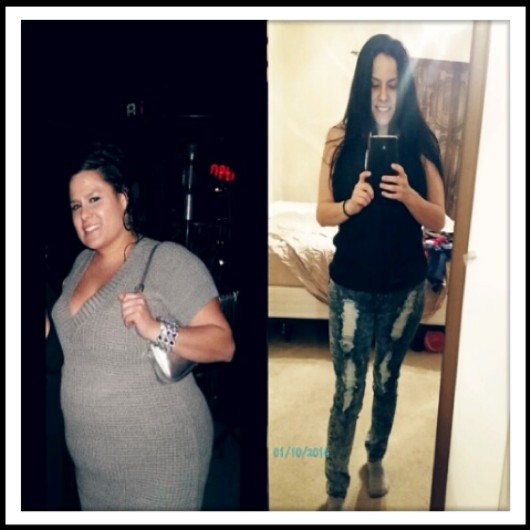
Sleeved on 9.20.12 HW-248 CW-152 Height-5'3
-
I was sleeved 9.20.12 & here r my starts: HW- 248 CW-152 GW- 130-135
-
I'm one year out & have gotten a b12 injection every mth.
-
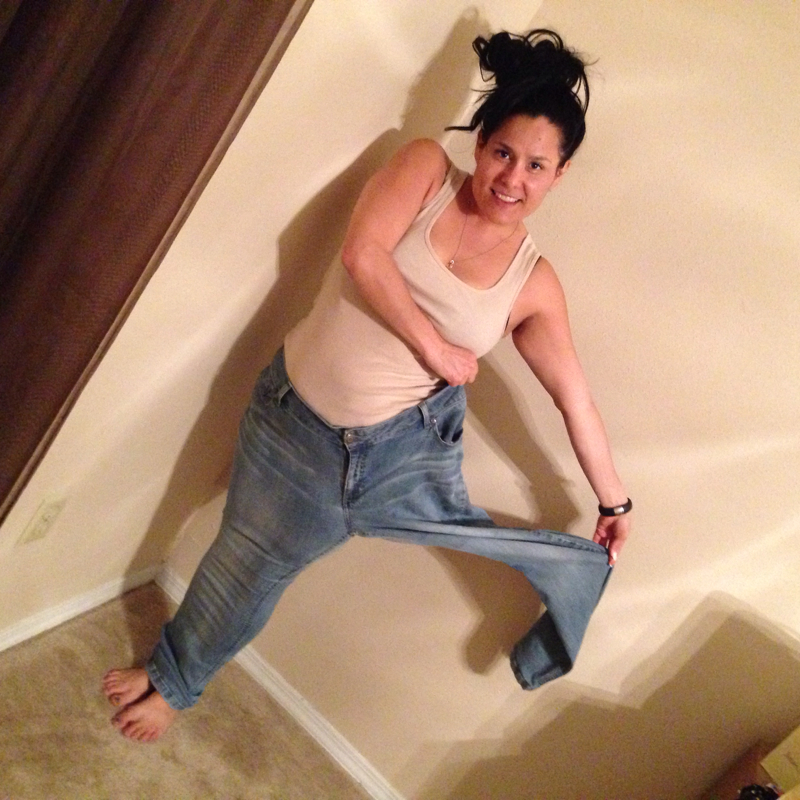
I admit these r yummy & I have struggled w/ my chip addiction since being sleeved 9.20.12 & can proudly say I've lost 95lbs. I just dipped them in fage yogurt so I'd get my protein in. What works for some may not work for all. My motto is all in moderation:-)
-
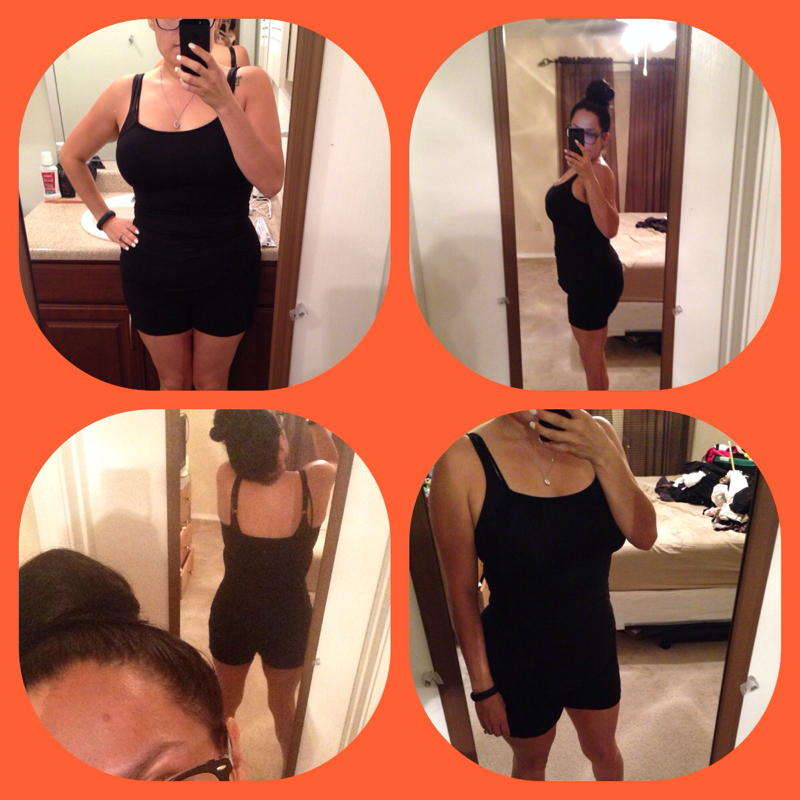
I am one year out & have taken a MSM supplement to help w/ skin issues. In all honesty mine is not bad. Yes I do have some on my inner thighs & tummy, but it's not bad.
-
-
-
-
-
-
I waited a whole year to take this pic!!! To say the least I was very excited!!! I'm keeping these as a reminder & will take a pic in them every year on my surgiversary.
-
-
-
Awe TY all s much!!!! If any of u r interested in following my journey I have the majority on my Instagram profile & my name is mrsalkhatibxxi if ur interested in following :-)Again thank u all for such kind words. I still want to lose 20-25 lbs & then want a tummy tuck & breast reduction.awe TY;-)Here r the ones I posted to my FB & IG accts.
 Thank you all:-) I have lost 94-95 lbs thus far. Yes I'm still losing, but very slow. I want to lose 20-25 more.