Skip to content
View in the app

A better way to browse. Learn more.

BariatricPal

A full-screen app on your home screen with push notifications, badges and more.

To install this app on iOS and iPadOS
  1. Tap the Share icon in Safari
  2. Scroll the menu and tap Add to Home Screen.
  3. Tap Add in the top-right corner.
To install this app on Android
  1. Tap the 3-dot menu (⋮) in the top-right corner of the browser.
  2. Tap Add to Home screen or Install app.
  3. Confirm by tapping Install.

5 months after surgery......

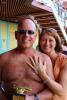
I have lost about 75 pounds. I feel great. Went on a cruise over Christmas and even won the hairy chest contest! I would never have even entered 5 months ago....

this is me 4 months before surgery. I was about 5-10 pounds heavier at surgery......(265-270)

this is me on the cruise just 2 weeks ago.....

I am very pleased.....

post-36686-13813662110713_thumb.jpg

post-36686-13813662111493_thumb.jpg

  • Replies 28
  • Views 3.4k
  • Created
  • Last Reply

Featured Replies

Congrats you look great!

Congrats!! Keep up the good work.

you look awesome!!!!! Congrats!

Whistle, whistle congrats you look awesome!

Nice!!!! Now,....let's see that winning hairy chest! ;-)

woo hoo! Awesome results :) I'm going on a cruise in September and really looking forward to seeing results by then. I'm 2 weeks out and down 26 pounds so far

  • Author

lol.....I still need to lose some weight!

post-36686-13813662112322_thumb.jpg

Dude...you look great!!!!!! Awesome job. Congrats on the weight loss and the award....lol :)

Woohoo! Way to go!

You look great!!! Way to go!!! :)

Congrats!!! You look amazing!!

  • Author

thank all of you! It has been amazing losing all the weight. It is the little things like not having to hold my breath when I tie my shoes or sitting on a Southwest Airlines plane and my sides do not touch both armrests......being able to sleep on my stomach.......

the surgery changed my life

Archived

This topic is now archived and is closed to further replies.

Trending Products

PatchAid Vitamin Patches

Account

Navigation

Search

Search

Configure browser push notifications

Chrome (Android)
  1. Tap the lock icon next to the address bar.
  2. Tap Permissions → Notifications.
  3. Adjust your preference.
Chrome (Desktop)
  1. Click the padlock icon in the address bar.
  2. Select Site settings.
  3. Find Notifications and adjust your preference.