Skip to content
View in the app

A better way to browse. Learn more.

BariatricPal

A full-screen app on your home screen with push notifications, badges and more.

To install this app on iOS and iPadOS
  1. Tap the Share icon in Safari
  2. Scroll the menu and tap Add to Home Screen.
  3. Tap Add in the top-right corner.
To install this app on Android
  1. Tap the 3-dot menu (⋮) in the top-right corner of the browser.
  2. Tap Add to Home screen or Install app.
  3. Confirm by tapping Install.

90 Lbs Down

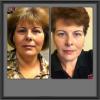
Before and so far picture. :)

post-33687-13838396315204_thumb.jpg

post-26533-13813660405386_thumb.jpg

  • Replies 22
  • Views 2.2k
  • Created
  • Last Reply

Featured Replies

Thanks everyone. I appreciate it. My husband is overweight but nothing like me. He is 6'7 about 260#.

What I eat is always on the go. Its usually whatever i can throw in the microwave or eat on my way to work.

I wish they gave classes on cooking and eating after the surgery .

The hospital I had does offer those classes in the support groups. Maybe you could look into thatm. You look great! Congratulations!

  • Author

3 months out

Really great results for 3 months out. You are an inspiration to others.

Archived

This topic is now archived and is closed to further replies.

Trending Products

PatchAid Vitamin Patches

Account

Navigation

Search

Search

Configure browser push notifications

Chrome (Android)
  1. Tap the lock icon next to the address bar.
  2. Tap Permissions → Notifications.
  3. Adjust your preference.
Chrome (Desktop)
  1. Click the padlock icon in the address bar.
  2. Select Site settings.
  3. Find Notifications and adjust your preference.