Skip to content
View in the app

A better way to browse. Learn more.

BariatricPal

A full-screen app on your home screen with push notifications, badges and more.

To install this app on iOS and iPadOS
  1. Tap the Share icon in Safari
  2. Scroll the menu and tap Add to Home Screen.
  3. Tap Add in the top-right corner.
To install this app on Android
  1. Tap the 3-dot menu (⋮) in the top-right corner of the browser.
  2. Tap Add to Home screen or Install app.
  3. Confirm by tapping Install.

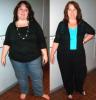
6 Month Comparison

  • Replies 21
  • Views 2.4k
  • Created
  • Last Reply

Top Posters In This Topic

Posted Images

Featured Replies

Wow... fantastic pics... what a difference... well done on your 6mths success!

Wow!! You can reeeallly see the difference! You look amazing. Congrats!

Congrats - I love looking at before/after and progress pics!

Awesome! You are working that sleeve!

WOW! You look amazing!!!! :)

  • Author

OH my gosh... you all brought tears to my eyes, thank you so much for such positive comments to me!!!! This forum is so great!

I was extremely nervous about posting the comparison pic, a friend did it for me!

If you look at my stats, I still have more than 100 lbs to lose..... only a handful of people on this forum start out like I did with such a large amount to lose... I need to be at the 140 mark.... I have lost over 80, but still need to lose 110 more.

I cant wait for the day to actually be able to say I have less to lose than what I have already lost!

Thank you all again..... it is incredible how friends/relatives will say nothing, no support... but here on the forum, I feel the kindness and positive vibes!!! :D

WOW WHAT AN INSPIRATION YOU ARE FOR US PRE-OPERS. I am more ready than ever now and have 2 months to go on supervised diet. You have had amazing results. Please take us through your journey some, what are you eating daily, how much, did you have an uneventful recovery, etc. YOU ARE A SUCCESS!!!! Thanks for sharing your story. WOW

You go girl! You look awesome!!

Join the conversation

You can post now and register later. If you have an account, sign in now to post with your account.

Guest
Reply to this topic...

Trending Products

PatchAid Vitamin Patches

Account

Navigation

Search

Search

Configure browser push notifications

Chrome (Android)
  1. Tap the lock icon next to the address bar.
  2. Tap Permissions → Notifications.
  3. Adjust your preference.
Chrome (Desktop)
  1. Click the padlock icon in the address bar.
  2. Select Site settings.
  3. Find Notifications and adjust your preference.