Skip to content
View in the app

A better way to browse. Learn more.

BariatricPal

A full-screen app on your home screen with push notifications, badges and more.

To install this app on iOS and iPadOS
  1. Tap the Share icon in Safari
  2. Scroll the menu and tap Add to Home Screen.
  3. Tap Add in the top-right corner.
To install this app on Android
  1. Tap the 3-dot menu (⋮) in the top-right corner of the browser.
  2. Tap Add to Home screen or Install app.
  3. Confirm by tapping Install.

1st post op Doctor visit. It went pretty well, except ...
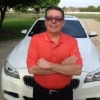
blogentry-351370-13814445246709.jpg


I went for my first post op Dr. visit this week. It went pretty well. I say pretty well because I got busted for a little drinking and a little non-smashie food intake. But I was on an impromtu trip with the boys! What's a guy to do? Catch up on my blog:

http://thedeconstructionofjohnny.blogspot.com/


New readers start at the begininng. I try and add a little levity to our weight loss journey through LB surgery.

3 Comments

Recommended Comments

kazjim98

LAP-BAND Patients

What's a guy to do? How about follow his doctors orders..

debee

LAP-BAND Patients

Everyone's journey is different..... Enjoy, just be careful

Guest
Add a comment...

Account

Navigation

Search

Search

Configure browser push notifications

Chrome (Android)
  1. Tap the lock icon next to the address bar.
  2. Tap Permissions → Notifications.
  3. Adjust your preference.
Chrome (Desktop)
  1. Click the padlock icon in the address bar.
  2. Select Site settings.
  3. Find Notifications and adjust your preference.