



Hospital Food - Good News!
- Replies 1
- Views 622
- Created
- Last Reply
Top Posters In This Topic
-
GradyCat 1 post

A better way to browse. Learn more.
A full-screen app on your home screen with push notifications, badges and more.
Join BariatricPal free
Find support for your bariatric or GLP-1 journey. Save helpful conversations and take part when you are ready.
Choose your email preferences on the registration form.
Already a member? Sign in
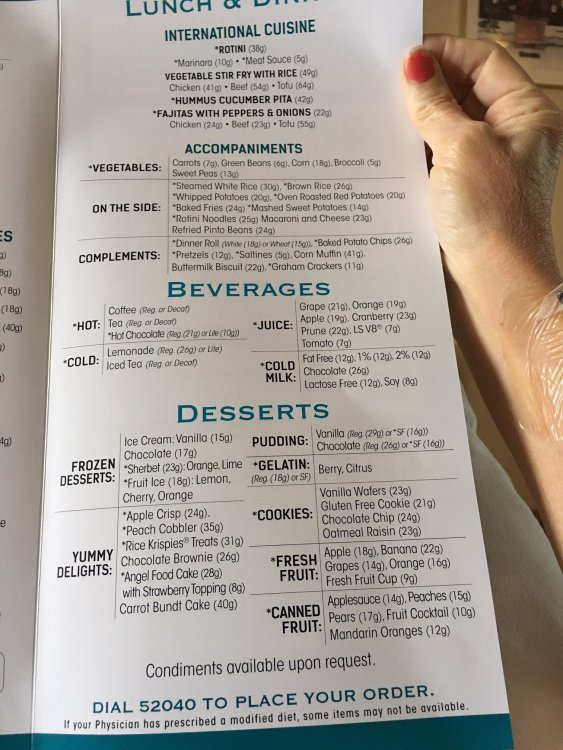
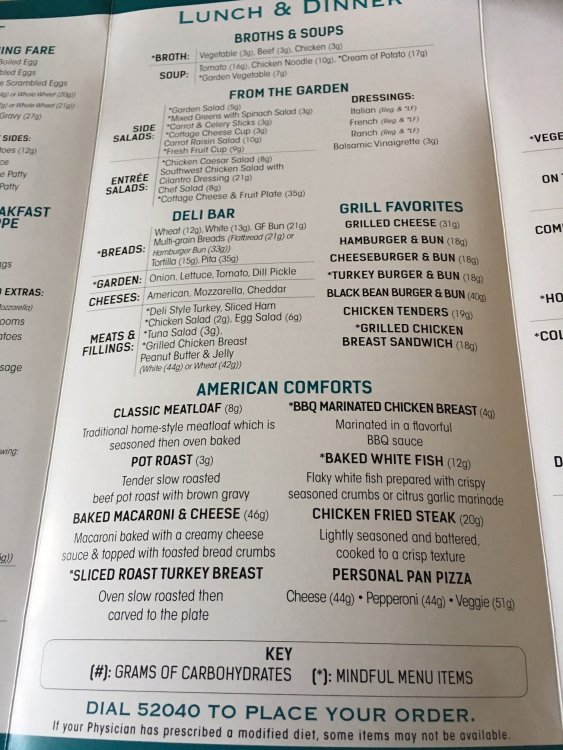
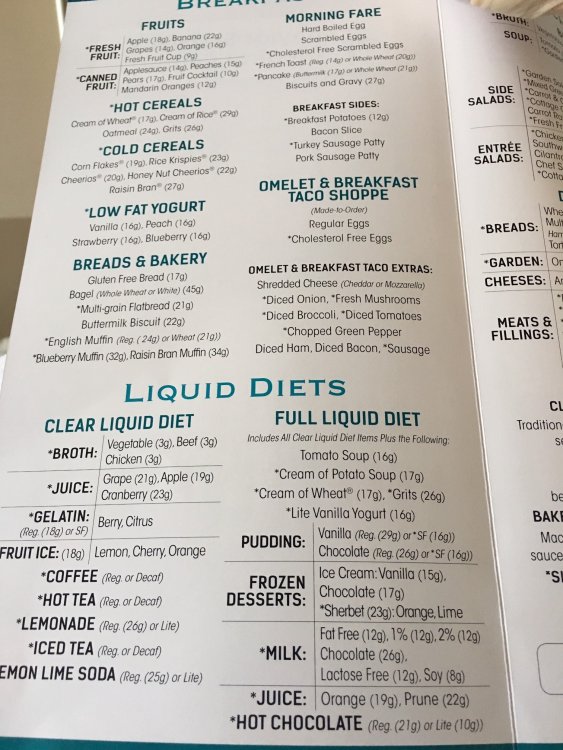
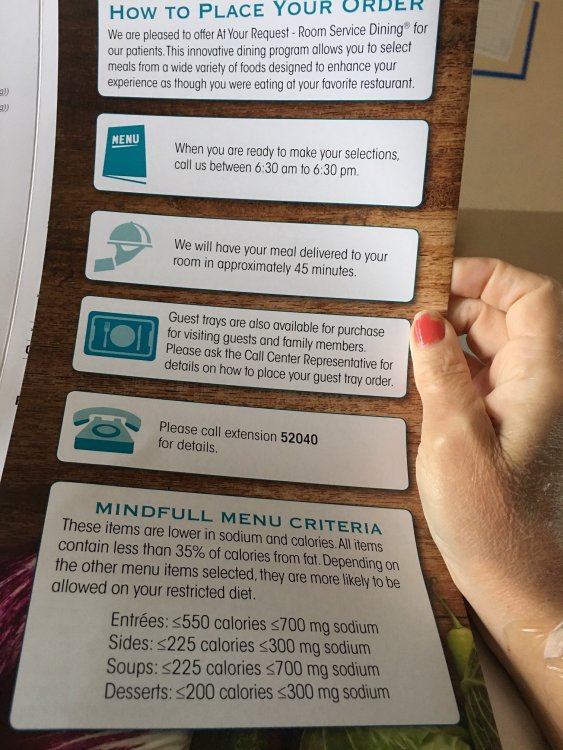
I thought this was pretty interesting. I found my experience to be the same not only this most recent surgery, but for the past 8+ years, my hospital offers an a la carte menu and allows the patient to pick or choose their own meal selections--even if you are on restricted diets aka diabetic or cardiac diet/low sodium, etc. I wanted to share my menu and thought it was very user friendly. It showed the total carbs for each selection and defined the caloric parameters of "mindful selections" which made it super easy to make healthy choices! (Even when I was on clear liquids!!)
So maybe they ARE "getting it"?
When I wasn't NPO (nothing by mouth) or on clear liquids with broth (delicious) + SF jello + iced tea + decaff black coffee, I chose the baked white fish (zero carbs without the breading) + green beans + fresh fruit cup and light yogurt for my challenge meals. I only ate about 1/8cup total volume of solids, so didn't worry about how many carbs/sugars in the Yoplait Lite Yogurt...meh. Some areas could use improvement...lol, but hey, it's a start!