Skip to content
View in the app

A better way to browse. Learn more.

BariatricPal

A full-screen app on your home screen with push notifications, badges and more.

To install this app on iOS and iPadOS
  1. Tap the Share icon in Safari
  2. Scroll the menu and tap Add to Home Screen.
  3. Tap Add in the top-right corner.
To install this app on Android
  1. Tap the 3-dot menu (⋮) in the top-right corner of the browser.
  2. Tap Add to Home screen or Install app.
  3. Confirm by tapping Install.
  • Appearance

Join BariatricPal free

  • Ask your own questions
  • Reply and follow topics
  • Message other members
  • No cost, no spam

Fav WLS App?

Hey! Newbie here first post. I'm on track for RNY in August. What are your favorite apps for tracking inches lost, or food and protein? Any and all favs share them I want to check them out!

  • Replies 2
  • Views 577
  • Created
  • Last Reply

Top Posters In This Topic

Most Popular Posts

  • I use Baritastic and happy scale. I like happy scale bc it has a predictive feature to show how much weight you will in one week, months, etc I like baritastic bc you can input your measurements

  • FluffySaysForkIt!
    FluffySaysForkIt!

    Hi! Welcome! I am currently using the Baritastic app. It tracks pounds lost, water intake and all the usual stuff. It also lets you set goals for things like protein intake and has timers you c
Posted Images

Featured Replies

Hi! Welcome! :)

I am currently using the Baritastic app. It tracks pounds lost, water intake and all the usual stuff. It also lets you set goals for things like protein intake and has timers you can use for vitamin or water reminders. So far I like it.

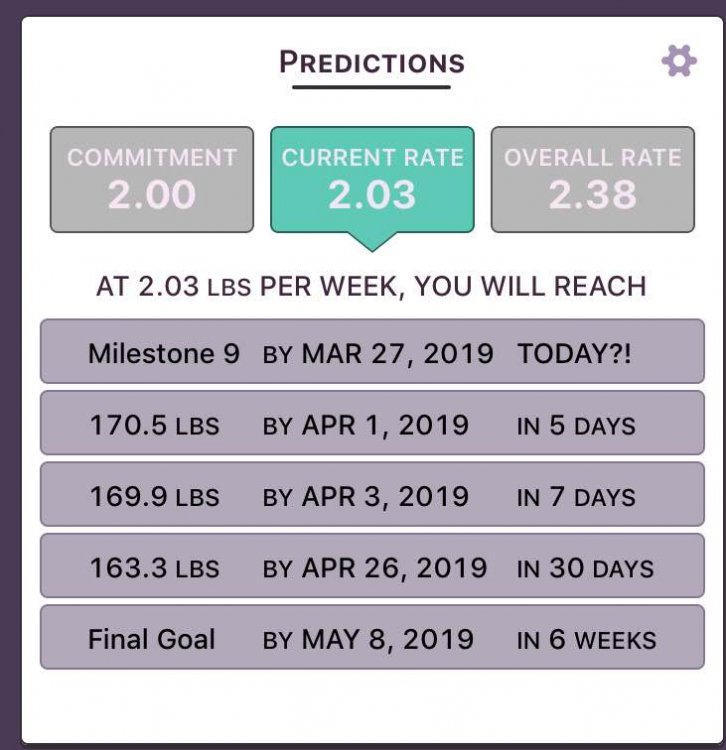
I use Baritastic and happy scale. I like happy scale bc it has a predictive feature to show how much weight you will in one week, months, etc I like baritastic bc you can input your measurements

image-0.00500679016113281.jpg

Join the conversation

You can post now and register later. If you have an account, sign in now to post with your account.

Guest
Reply to this topic...

Account

Navigation

Search

Search

Configure browser push notifications

Chrome (Android)
  1. Tap the lock icon next to the address bar.
  2. Tap Permissions → Notifications.
  3. Adjust your preference.
Chrome (Desktop)
  1. Click the padlock icon in the address bar.
  2. Select Site settings.
  3. Find Notifications and adjust your preference.