Skip to content
View in the app

A better way to browse. Learn more.

BariatricPal

A full-screen app on your home screen with push notifications, badges and more.

To install this app on iOS and iPadOS
  1. Tap the Share icon in Safari
  2. Scroll the menu and tap Add to Home Screen.
  3. Tap Add in the top-right corner.
To install this app on Android
  1. Tap the 3-dot menu (⋮) in the top-right corner of the browser.
  2. Tap Add to Home screen or Install app.
  3. Confirm by tapping Install.

April 25, 2018

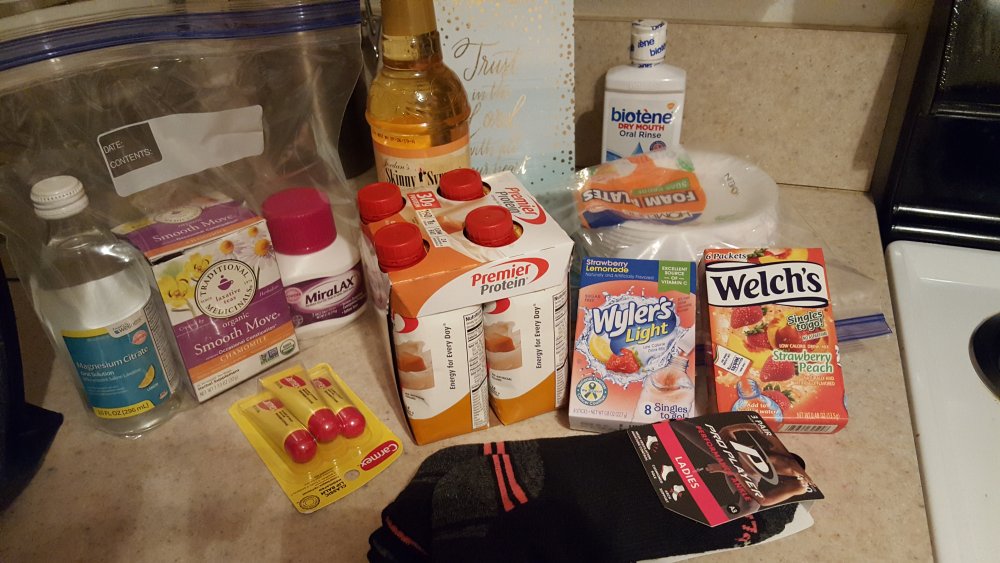
I'm so excited! I received my approval today and completed my pre-admissions. My surgery is scheduled for April 25 at 8:00 am. I'm on day four of my liquid diet and so far, I've had no headaches, hunger pains nor have I been "hangry"!!!

untitled.png

  • Replies 18
  • Views 1.2k
  • Created
  • Last Reply

Featured Replies

  • Author

Surprisingly I'm doing great too! Two shakes per day and soup at night have kept me sustained. Even taking my grand daughter to McDonalds yesterday was tough, i took my shake with me! I'm allowed yogurt so that was my treat. In four days, I was down six pounds so that made me smile.

Way to go!!!!!!! I feel this pre op is very worth it. It gives us an idea of how it will be post surgery except we will not have the hunger then except head hunger, which we are learning to conquer now!!! Keep it up!!!!! Love how relatable your journey is to mine!!!

  • Author
15 minutes ago, mitchjoann132010 said:

Way to go!!!!!!! I feel this pre op is very worth it. It gives us an idea of how it will be post surgery except we will not have the hunger then except head hunger, which we are learning to conquer now!!! Keep it up!!!!! Love how relatable your journey is to mine!!!

This journey has been an eye opener for me. It taught me how much I used food as a crutch. Anything going on, I ate! I'm so happy I'm learning to refocus my emotions when something is happening.

Archived

This topic is now archived and is closed to further replies.

Trending Products

PatchAid Vitamin Patches

Account

Navigation

Search

Search

Configure browser push notifications

Chrome (Android)
  1. Tap the lock icon next to the address bar.
  2. Tap Permissions → Notifications.
  3. Adjust your preference.
Chrome (Desktop)
  1. Click the padlock icon in the address bar.
  2. Select Site settings.
  3. Find Notifications and adjust your preference.