



If you want to keep up with my journey!
- Replies 2
- Views 1.2k
- Created
- Last Reply
Top Posters In This Topic
-
jessgnc 1 post
-
Abhijeet Singh 1 post

A better way to browse. Learn more.
A full-screen app on your home screen with push notifications, badges and more.
Join BariatricPal free
Find support for your bariatric or GLP-1 journey. Save helpful conversations and take part when you are ready.
Choose your email preferences on the registration form.
Already a member? Sign in
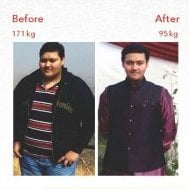
My mom and I both went for the DS. We did the whole thing together! If any of you want to keep up with our journey, we have a group on Facebook called 'Tanya & Monique's Blooming Journey' aswell as an Instagram account '@ourbloomingjourney' I would love to know where I can see more people share their journeys on social media. The support from all sides help so much! Let me know where I can follow you on your journey - Facebook, Instagram, Twitter etc. [emoji2]
Sent from my Redmi Note 3 using BariatricPal App