Skip to content
View in the app

A better way to browse. Learn more.

BariatricPal

A full-screen app on your home screen with push notifications, badges and more.

To install this app on iOS and iPadOS
  1. Tap the Share icon in Safari
  2. Scroll the menu and tap Add to Home Screen.
  3. Tap Add in the top-right corner.
To install this app on Android
  1. Tap the 3-dot menu (⋮) in the top-right corner of the browser.
  2. Tap Add to Home screen or Install app.
  3. Confirm by tapping Install.
  • Appearance

Join BariatricPal free

  • Ask your own questions
  • Reply and follow topics
  • Message other members
  • No cost, no spam

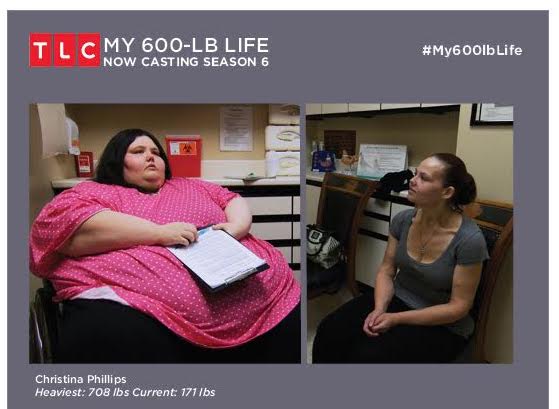
TLC's MY 600-LB LIFE Casting Call for Season 6!

Are you or someone you love struggling at an extreme weight over 600Lbs?

BariatricPal is working with the producers of My 600 Lb Life and searching for individuals weighing 600 pounds or more who are ready to make a life change.

My 600-lb life follows the lives of real people suffering from super obesity that embark on a year-long journey to regain their health. If approved they receive gastric Bypass Surgery.

Each episode tells the powerful story of one super obese individual. Many are home-bound, relying on family care just to live day to day. They make the courageous decision to save their lives and change their world forever.

If this describes you or someone you know, then please send the following information to us via email to castingcalls@BariatricPal.com :

  • Name
  • Age
  • Height
  • Weight
  • City, State
  • Brief Bio
  • Phone number

unnamed.jpg

  • Replies 8
  • Views 12.5k
  • Created
  • Last Reply

Top Posters In This Topic

Most Popular Posts

Posted Images

Featured Replies

  • 3 weeks later...
  • 3 weeks later...
6 minutes ago, Katseryne E Mason said:

Help me please....

email to castingcalls@BariatricPal.com :

  • Name
  • Age
  • Height
  • Weight
  • City, State
  • Brief Bio
  • Phone number

Join the conversation

You can post now and register later. If you have an account, sign in now to post with your account.

Guest
Reply to this topic...

Account

Navigation

Search

Search

Configure browser push notifications

Chrome (Android)
  1. Tap the lock icon next to the address bar.
  2. Tap Permissions → Notifications.
  3. Adjust your preference.
Chrome (Desktop)
  1. Click the padlock icon in the address bar.
  2. Select Site settings.
  3. Find Notifications and adjust your preference.