Skip to content
View in the app

A better way to browse. Learn more.

BariatricPal

A full-screen app on your home screen with push notifications, badges and more.

To install this app on iOS and iPadOS
  1. Tap the Share icon in Safari
  2. Scroll the menu and tap Add to Home Screen.
  3. Tap Add in the top-right corner.
To install this app on Android
  1. Tap the 3-dot menu (⋮) in the top-right corner of the browser.
  2. Tap Add to Home screen or Install app.
  3. Confirm by tapping Install.

I'm engaged!

  • Popular Post

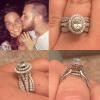
Guys! I got engaged while on vacation! I had to share my excitement! I also am in the 230s again! Ahhhhhh what a great week! post-174453-0-36926500-1471568322_thumb.jpegpost-174453-0-03255500-1471568354_thumb.jpeg

  • Replies 17
  • Views 1.8k
  • Created
  • Last Reply

Featured Replies

Congratulations!

Congratulations! You two look so great together. I've been married 20 yrs this past June and to be honest with you ... It has gotten better as the years go by. Hope you two find this same kind of happiness when you celebrating 20 years!!

Blessings!

Amy

  • Author

Aw thanks everybody! We are so excited! He waited till after my surgery almost 2 months after to propose so he could do it on vacation , my first time being able to enjoy my summer without pain. So that was great timing. I was 32 lbs down when he asked and feeling so much healthier . Glad he waited to do it now than before surgery :)

CONGRATULATIONS TO THE BOTH OF YOU! Yes I shouted that! Your ring is so beautiful and so are the both of you. How exciting to be getting thinner and planning a wedding. Hope you don't mind if I following your progress in both areas. I planned my own wedding (didn't have family or a wedding planner) many moons ago and love to see what others plan.

Congratulations!! Wishing you much happiness!!

Sent from my iPhone using the BariatricPal App

Archived

This topic is now archived and is closed to further replies.

Trending Products

PatchAid Vitamin Patches

Account

Navigation

Search

Search

Configure browser push notifications

Chrome (Android)
  1. Tap the lock icon next to the address bar.
  2. Tap Permissions → Notifications.
  3. Adjust your preference.
Chrome (Desktop)
  1. Click the padlock icon in the address bar.
  2. Select Site settings.
  3. Find Notifications and adjust your preference.