



Packing for a 5 night stay away from my house...
- Replies 1
- Views 464
- Created
- Last Reply
Top Posters In This Topic
-
Miss Mac 1 post

A better way to browse. Learn more.
A full-screen app on your home screen with push notifications, badges and more.
Join BariatricPal free
Find support for your bariatric or GLP-1 journey. Save helpful conversations and take part when you are ready.
Choose your email preferences on the registration form.
Already a member? Sign in
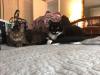
I am dog sitting for friends while they are in Disney this week. Packing after having surgery on 8/17 is a chore! The things I can't forget.... CPAP, Vitamins, medicine, shaker bottle, scale (for food), scale (because I weigh in on Monday!), PB2, Protein powder, etc. etc and this is in addition to all the other stuff I have to pack for work this week. These two mooks decided they would like to nap on my stuff as I was packing it. They were no help!
Plus I have to pack my bento box, containers, cold pack, and little fork and spoon and my yogurt and tuna etc.
This is a bit much!