Skip to content
View in the app

A better way to browse. Learn more.

BariatricPal

A full-screen app on your home screen with push notifications, badges and more.

To install this app on iOS and iPadOS
  1. Tap the Share icon in Safari
  2. Scroll the menu and tap Add to Home Screen.
  3. Tap Add in the top-right corner.
To install this app on Android
  1. Tap the 3-dot menu (⋮) in the top-right corner of the browser.
  2. Tap Add to Home screen or Install app.
  3. Confirm by tapping Install.

Halfway to goal

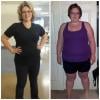
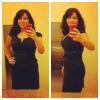
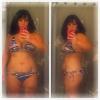
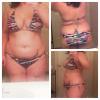
I'm so excited I'm down 40 lbs and 32 lbs from goal. I'm only 3 months out. I'm noticing a considerable difference in my body. But the pictures speak for themselves.

post-54886-13813667557963_thumb.jpg

post-54886-13813667558849_thumb.jpg

post-54886-13813667559759_thumb.jpg

  • Replies 19
  • Views 1.2k
  • Created
  • Last Reply

Featured Replies

Wow you look amazing!. Good for you.

I remember hitting 1/2 way a couple of weeks ago. That's a fantastic feeling.

You look awesome! I can't wait to be halfway and 100%.

Jamie

You look beautiful!! What a transformation already:)). I'm lovn it nd it shows that the sleeve is lovn you!! Amazing job. Dee Dee

Amazing job you look soo pretty!!!! What are your stats?

  • Author

Thx all! I started at a lower BMI. I'm 5'3" and now weigh 168 as of this morning.

Wow! WTG! You sure don't look like you have over 30 lbs to lose! If I didn't already know, I'd think you were at goal now!

Thx all! I started at a lower BMI. I'm 5'3" and now weigh 168 as of this morning.

I'm glad ur my height;). Now I can get a glimpse into how beautiful I hope to look when I'm sleeved:). Esp at 168, so amazn, I can't imagine. Again, Wtg!!

You look great! Congrats

  • Author

Thanks everyone. I'm so excited at the possibilities the future has in store.

Wow you look awesome! Congrats to you!

  • Author
Wow you look awesome! Congrats to you!

Thank you so much.

WTG! You look great!!

Archived

This topic is now archived and is closed to further replies.

Trending Products

PatchAid Vitamin Patches

Account

Navigation

Search

Search

Configure browser push notifications

Chrome (Android)
  1. Tap the lock icon next to the address bar.
  2. Tap Permissions → Notifications.
  3. Adjust your preference.
Chrome (Desktop)
  1. Click the padlock icon in the address bar.
  2. Select Site settings.
  3. Find Notifications and adjust your preference.