Skip to content
View in the app

A better way to browse. Learn more.

BariatricPal

A full-screen app on your home screen with push notifications, badges and more.

To install this app on iOS and iPadOS
  1. Tap the Share icon in Safari
  2. Scroll the menu and tap Add to Home Screen.
  3. Tap Add in the top-right corner.
To install this app on Android
  1. Tap the 3-dot menu (⋮) in the top-right corner of the browser.
  2. Tap Add to Home screen or Install app.
  3. Confirm by tapping Install.

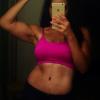
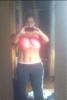
4 month pics

71 lbs down!!

post-48345-13813665121383_thumb.jpg

post-48345-1381366512195_thumb.jpg

  • Replies 19
  • Views 2k
  • Created
  • Last Reply

Featured Replies

  • Author

Don't mind the messy teenagers room!! UGH

You're looking good! What was your starting weight? 71 lbs that's awesome!!!!

You look absolutely fabulous! Good for you!

Awesome!! Do you have before pics?

Dido! I'm curious to see the difference. It gives me hope!

DAMN!!!!!

Sent from my iPhone using VST

  • Author
:) my starting weight was 246 and I'm 4' 11" tall.

post-48345-13813665122546_thumb.jpg

  • Author

Thank you!! I'm so blessed!! I've had no complications and to be honest I've only worked out once. I know it's not ideal but I guess we're all different. It's been a long time since I've liked what I see in the mirror. If I can do this ANYONE can. :)

Great job!!!!

I was going to say you look like you spend hours in the gym every day, but then you made your last comment. Jealous :)You look amazing, great job! Are you following a certain diet?

What kind if a diet did you follow? We're similar proportion so I'm curious.

Dang Girl! You don't work out for real? I wish my stomach looked like that. I am working out and am 160 (HW234)at 5'2.5 but my stomach is ruined . I can't imagine what you would look like if you did work out :)

Archived

This topic is now archived and is closed to further replies.

Trending Products

PatchAid Vitamin Patches

Account

Navigation

Search

Search

Configure browser push notifications

Chrome (Android)
  1. Tap the lock icon next to the address bar.
  2. Tap Permissions → Notifications.
  3. Adjust your preference.
Chrome (Desktop)
  1. Click the padlock icon in the address bar.
  2. Select Site settings.
  3. Find Notifications and adjust your preference.