Skip to content
View in the app

A better way to browse. Learn more.

BariatricPal

A full-screen app on your home screen with push notifications, badges and more.

To install this app on iOS and iPadOS
  1. Tap the Share icon in Safari
  2. Scroll the menu and tap Add to Home Screen.
  3. Tap Add in the top-right corner.
To install this app on Android
  1. Tap the 3-dot menu (⋮) in the top-right corner of the browser.
  2. Tap Add to Home screen or Install app.
  3. Confirm by tapping Install.
  • Appearance

Join BariatricPal free

  • Ask your own questions
  • Reply and follow topics
  • Message other members
  • No cost, no spam

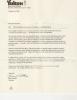
letter from the minister of health about the lab band

  • Replies 19
  • Views 2.1k
  • Created
  • Last Reply

Top Posters In This Topic

Posted Images

Featured Replies

Dr Orr has also noted that he is unaware of any large studies wherein bariatric lap band surgery has been compared with other bariatric surgery.

Apprently Dr. Orr has not looked to hard. Too bad for you, but not suprising considering Canadian health care systems that focus on treatment of problems rather than prevention.

Andrew

Well, at least you don't have to worry that "maybe I didn't have to pay for it myself... maybe if I'd done something." You tried, and good for you. Now keep saving, and get your surgery.

And yeah, Dr. Orr looked real hard, I'm sure.

  • Author

well Im not giving up Im sending all my paper work to the obisman, i got about 10 other people interested into this surgery were going to fight. but i got good news Im half way there with saving the money for the surgery:)

Join the conversation

You can post now and register later. If you have an account, sign in now to post with your account.

Guest
Reply to this topic...

Account

Navigation

Search

Search

Configure browser push notifications

Chrome (Android)
  1. Tap the lock icon next to the address bar.
  2. Tap Permissions → Notifications.
  3. Adjust your preference.
Chrome (Desktop)
  1. Click the padlock icon in the address bar.
  2. Select Site settings.
  3. Find Notifications and adjust your preference.