Skip to content
View in the app

A better way to browse. Learn more.

BariatricPal

A full-screen app on your home screen with push notifications, badges and more.

To install this app on iOS and iPadOS
  1. Tap the Share icon in Safari
  2. Scroll the menu and tap Add to Home Screen.
  3. Tap Add in the top-right corner.
To install this app on Android
  1. Tap the 3-dot menu (⋮) in the top-right corner of the browser.
  2. Tap Add to Home screen or Install app.
  3. Confirm by tapping Install.

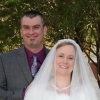
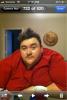
Before And After 90 Day Results

  • Replies 39
  • Views 3.7k
  • Created
  • Last Reply

Featured Replies

Looking mighty fine there fella and I bet you are feeling mighty fine too!

I love the sleeve because it creates eye candy for us girls! You are rocking that sleeve! :) Congrats on the Century Club!! :)

Wow, I bet you wake up each day feeling like a million! Great job.

And no, I am not jealous that it took me twice as long to lose that much weight. :)

You look great - you probably feel even better. Nice work!

Looking aahhhhhsomeee!!!! :)

nice!!!!!!!!!!!!!!!!!!!!!!!!

Wow, what a hottie!

Enjoy it, you earned it!

Damn boy you are doing great! Looking good!!!

Great job! Keep it up! :) Rock that Sleeve!

WOW! You look great! keep it up! I am very impressed, dang!!!!

Great job! Keep up the awesome work!!!

You look awesome, RepoMan! Hubba hubba!! :)

Archived

This topic is now archived and is closed to further replies.

Account

Navigation

Search

Search

Configure browser push notifications

Chrome (Android)
  1. Tap the lock icon next to the address bar.
  2. Tap Permissions → Notifications.
  3. Adjust your preference.
Chrome (Desktop)
  1. Click the padlock icon in the address bar.
  2. Select Site settings.
  3. Find Notifications and adjust your preference.