Skip to content
View in the app

A better way to browse. Learn more.

BariatricPal

A full-screen app on your home screen with push notifications, badges and more.

To install this app on iOS and iPadOS
  1. Tap the Share icon in Safari
  2. Scroll the menu and tap Add to Home Screen.
  3. Tap Add in the top-right corner.
To install this app on Android
  1. Tap the 3-dot menu (⋮) in the top-right corner of the browser.
  2. Tap Add to Home screen or Install app.
  3. Confirm by tapping Install.

One Year Anniversary

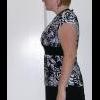
Today is the one year anniversary of my weight loss surgery. The surgeon said it would take AT LEAST a year to get to goal... two years with "typical" results. Goes to show him I am not a typical patient B) hahaha I did this surgery for one BIG reason which really lit a fire under my butt.... I want to be a mom. So I hope that piece of the puzzle happens for me soon.

The Beginning....

DSCN4090.jpgDSCN4089-1.jpg

Day Before Surgery. Down about 45 lbs

003-2.jpg004-8.jpg

Now!!! A total loss of 130 lbs +/-

009.jpg010.jpg

  • Replies 43
  • Views 5.4k
  • Created
  • Last Reply

Top Posters In This Topic

Featured Replies

Wow! You look great!

That is just so amazing. You look fabulous! Congrats on killing it!

Wow! You look so great!! Congrats on being the atypical loser :)

You look amazing! Great job bucking the odds and beating your surgeon's timeline. Just in time for summer and all those cute clothes!

I know it has been said but you look great! I can't believe how much younger too! Happy Anniversary to you! Live it up.

Bloody hell... you don't look like the same woman!! What a transformation! Well done on looking amazing and getting to GOAL!! =]

Join the conversation

You can post now and register later. If you have an account, sign in now to post with your account.

Guest
Reply to this topic...

Trending Products

PatchAid Vitamin Patches

Account

Navigation

Search

Search

Configure browser push notifications

Chrome (Android)
  1. Tap the lock icon next to the address bar.
  2. Tap Permissions → Notifications.
  3. Adjust your preference.
Chrome (Desktop)
  1. Click the padlock icon in the address bar.
  2. Select Site settings.
  3. Find Notifications and adjust your preference.