Skip to content
View in the app

A better way to browse. Learn more.

BariatricPal

A full-screen app on your home screen with push notifications, badges and more.

To install this app on iOS and iPadOS
  1. Tap the Share icon in Safari
  2. Scroll the menu and tap Add to Home Screen.
  3. Tap Add in the top-right corner.
To install this app on Android
  1. Tap the 3-dot menu (⋮) in the top-right corner of the browser.
  2. Tap Add to Home screen or Install app.
  3. Confirm by tapping Install.

When your Problems Seem too Big to Handle

  • Replies 8
  • Views 1k
  • Created
  • Last Reply

Top Posters In This Topic

Posted Images

Featured Replies

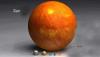
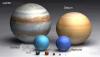
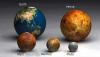
How cool is that?! You really have to look at the pics 1-2-3 in order. Great effect. My jaw dropped! I can't wait to show these to my Dad. He's an amateur astronomer and can really appreciate pics like these. Thanks! I feel so small! LOL

  • Author
Great.... now on top of my fears and troubles and woes I also feel really tiny and insignificant. Good going.

:) LOL cool pics!

Now that you feel Tiny, you won't need the Lap-Band. Right?:):faint:

LOL... Great pics... and I have a test TODAY about the planets in Astronomy... None of his (my prof) pics were as good as these. Makes ya really aware of how huge the sun really is!!!

One of my favorite things to do is go downtown (Chicago) and walk or ride my bike down Michigan Ave (the big main drag for shopping and such). When all the stores are closed and the windows are dimmed, I love to get on the median and look up, buildings in every direction. It really puts things into prespective. Makes me feel small, and the world seems so big. I am from a small town down south and I guess I just never get used to the hugeness of the city around me. ~Mandy

Join the conversation

You can post now and register later. If you have an account, sign in now to post with your account.

Guest
Reply to this topic...

Trending Products

PatchAid Vitamin Patches

Account

Navigation

Search

Search

Configure browser push notifications

Chrome (Android)
  1. Tap the lock icon next to the address bar.
  2. Tap Permissions → Notifications.
  3. Adjust your preference.
Chrome (Desktop)
  1. Click the padlock icon in the address bar.
  2. Select Site settings.
  3. Find Notifications and adjust your preference.