Skip to content
View in the app

A better way to browse. Learn more.

BariatricPal

A full-screen app on your home screen with push notifications, badges and more.

To install this app on iOS and iPadOS
  1. Tap the Share icon in Safari
  2. Scroll the menu and tap Add to Home Screen.
  3. Tap Add in the top-right corner.
To install this app on Android
  1. Tap the 3-dot menu (⋮) in the top-right corner of the browser.
  2. Tap Add to Home screen or Install app.
  3. Confirm by tapping Install.

Before and during pics-again!

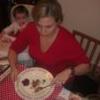
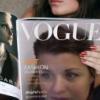
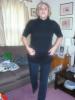
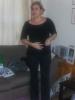
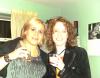
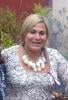
The first picture is about a month before surgery, the second is my 40th birthday about a year and a half ago and the third is today, 3 months and a bit post surgery (no make up or anything so don't look at the face)

post-3365-13813655984181_thumb.jpg

post-3365-13813655984542_thumb.jpg

post-3365-13813655986869_thumb.jpg

  • Replies 25
  • Views 2.8k
  • Created
  • Last Reply

Top Posters In This Topic

Posted Images

Featured Replies

Lookin' Good!

Look at how thin you are! Those are some small jeans there girlie! ;-) Congrats on a job very well done this far!!

Oooo girl! You look fantastic! :o

Hey Chilo...

OMG... you look amazing... you're gonna have to send down the stuff that is too big for you..heheheeee!

I bet you feel amazing too xx

That after pic is even better then the one you shared yesterday. HOLY MOLY ROCK THOSE JEANS! YAY

You look GREAT way to GO!!!!

Join the conversation

You can post now and register later. If you have an account, sign in now to post with your account.

Guest
Reply to this topic...

Trending Products

PatchAid Vitamin Patches

Account

Navigation

Search

Search

Configure browser push notifications

Chrome (Android)
  1. Tap the lock icon next to the address bar.
  2. Tap Permissions → Notifications.
  3. Adjust your preference.
Chrome (Desktop)
  1. Click the padlock icon in the address bar.
  2. Select Site settings.
  3. Find Notifications and adjust your preference.