Skip to content
View in the app

A better way to browse. Learn more.

BariatricPal

A full-screen app on your home screen with push notifications, badges and more.

To install this app on iOS and iPadOS
  1. Tap the Share icon in Safari
  2. Scroll the menu and tap Add to Home Screen.
  3. Tap Add in the top-right corner.
To install this app on Android
  1. Tap the 3-dot menu (⋮) in the top-right corner of the browser.
  2. Tap Add to Home screen or Install app.
  3. Confirm by tapping Install.
  • Appearance

Join BariatricPal free

  • Ask your own questions
  • Reply and follow topics
  • Message other members
  • No cost, no spam

Dylan'smom Avatar help

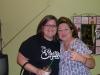
I so can't figure out how to make this just my face. I have a picture and can't attatch it since it is a jpeg. I am so not technically inclined sometimes. This pic over 6 months old and 25 pounds heavier but I'm tired of not having an Avatar. Can you please help!! I've seen you work your magic and as our official Admin I need your expertise. If this comes through I am the one on the left and just want me in the pic on my avatar. Thanks in advance for your help!! I attatched it at the bottom I think. Lord, I'm lost!

Thanks a bunch, Kim

post-204252-13813132663016_thumb.jpg

  • Replies 8
  • Views 758
  • Created
  • Last Reply

Top Posters In This Topic

Posted Images

Featured Replies

  • Author

My boss calls me a frap ho instead of a crack ho. Cause some days I would do anything for one. Some days they are the only thing I can get down...If I could just find out who is hiding the caramel mocha frappacino and peanut M&M diet plan I would be right on track. I could live off those 2 things the rest of my days.

Sorry I am just getting to this now. I am glad that someone else was able to help you out a bit sooner. I had to work last night and then had an appointment this morning, so I'm just now getting online.

It looks good!

Join the conversation

You can post now and register later. If you have an account, sign in now to post with your account.

Guest
Reply to this topic...

Account

Navigation

Search

Search

Configure browser push notifications

Chrome (Android)
  1. Tap the lock icon next to the address bar.
  2. Tap Permissions → Notifications.
  3. Adjust your preference.
Chrome (Desktop)
  1. Click the padlock icon in the address bar.
  2. Select Site settings.
  3. Find Notifications and adjust your preference.