Skip to content
View in the app

A better way to browse. Learn more.

BariatricPal

A full-screen app on your home screen with push notifications, badges and more.

To install this app on iOS and iPadOS
  1. Tap the Share icon in Safari
  2. Scroll the menu and tap Add to Home Screen.
  3. Tap Add in the top-right corner.
To install this app on Android
  1. Tap the 3-dot menu (⋮) in the top-right corner of the browser.
  2. Tap Add to Home screen or Install app.
  3. Confirm by tapping Install.

Join BariatricPal free

  • Ask your own questions
  • Reply and follow topics
  • Message other members
  • No cost, no spam

morebetje100

Pre Op
  • Joined

  • Last visited

  1.    Flo-grown reacted to a post in a topic: July 2019 Sleevers
  2.    amithistrose reacted to a post in a topic: I HATE I GOT THIS STUPID SURGERY!
  3.    Sandra Nuelken reacted to a post in a topic: July 2019 Sleevers
  4.    GreenTealael reacted to a post in a topic: I HATE I GOT THIS STUPID SURGERY!
  5.    Goldn02Grl reacted to a post in a topic: July 2019 Sleevers
  6.    morebetje100 reacted to a post in a topic: Weight loss
  7.    morebetje100 reacted to a post in a topic: July 2019 Sleevers
  8.    morebetje100 reacted to a post in a topic: 1 Month Anniversary
  9.    Dee2938 reacted to a post in a topic: Weight loss
  10.    KarenLR75 reacted to a post in a topic: Weight loss
  11.    Flo-grown reacted to a post in a topic: Weight loss
  12.    morebetje100 reacted to a post in a topic: Sleeved over 65
  13.    morebetje100 reacted to a post in a topic: Sleeved over 65
  14. We all experience the same. You're okay.
  15. Age is just a number. It doesn't represent who you are.
  16.    Ellen_2610 reacted to a post in a topic: October 2018 Sleevers
  17.    Ellen_2610 reacted to a post in a topic: October 2018 Sleevers
  18. Patience is a virtue. You got this!
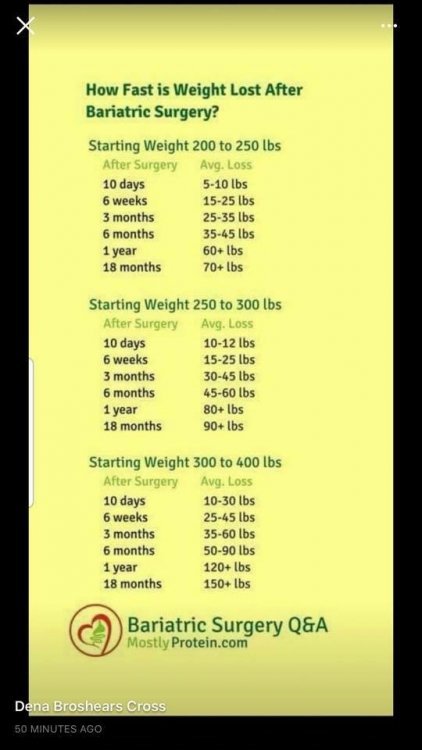
  19. You might find these two items helpful. Great success!
Account

Navigation

Search

Search

Configure browser push notifications

Chrome (Android)
  1. Tap the lock icon next to the address bar.
  2. Tap Permissions → Notifications.
  3. Adjust your preference.
Chrome (Desktop)
  1. Click the padlock icon in the address bar.
  2. Select Site settings.
  3. Find Notifications and adjust your preference.