




Start here
Where are you in your journey?
Choose the path that fits today. We’ll take you to the most useful discussions.
- GLP-1 medication Zepbound, Wegovy, access, side effects, progress, and support.
- Before surgery Compare procedures, plan ahead, and get honest pre-op answers.
- Post-op Recovery, food stages, symptoms, and support.
- Long-term Regain, labs, habits, and life after the honeymoon.
- Revision Explore revision options, complications, and next steps.

vsg30815
LAP-BAND Patients
-
Joined
-
Last visited
-
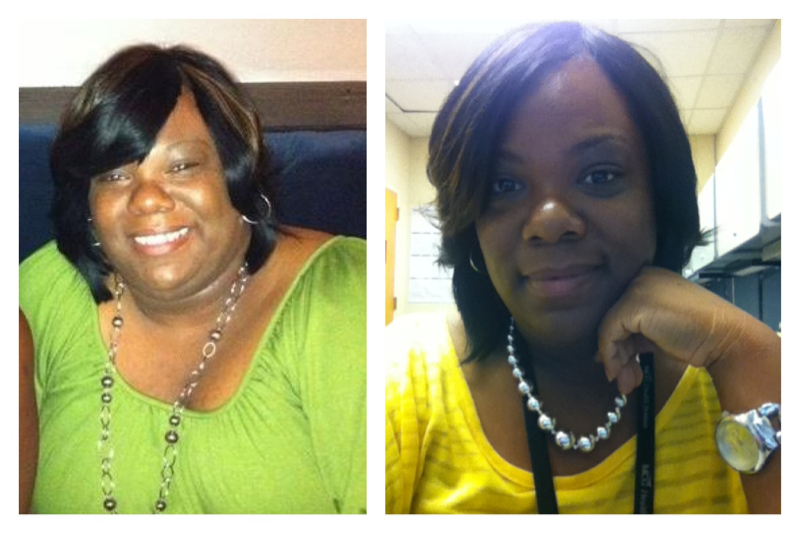
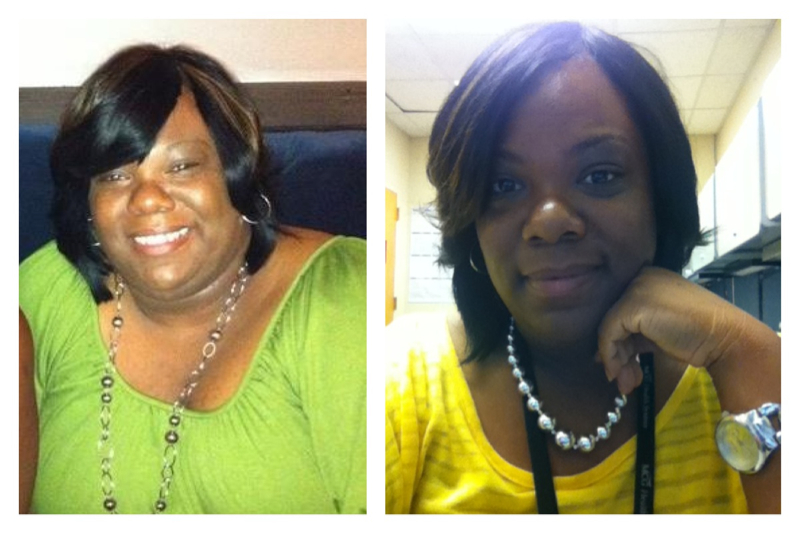
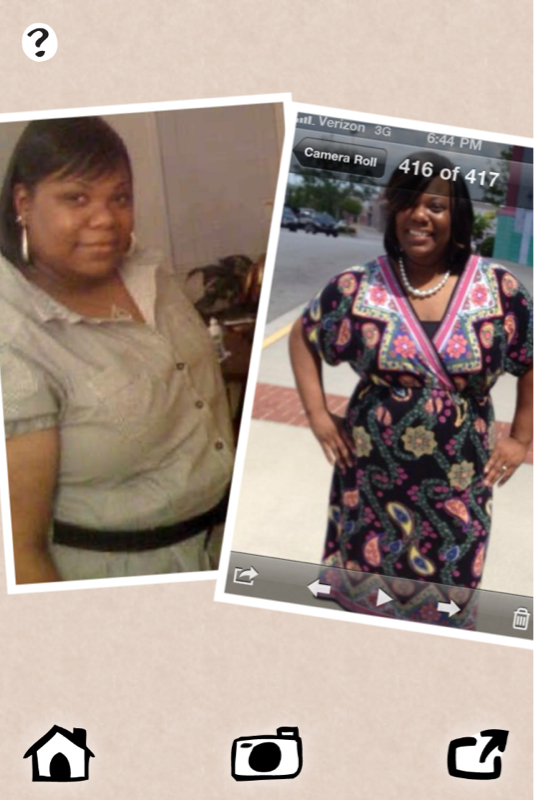
Had surgery May 1st, 2012 and have been regular so far. PCOS symptoms seem to SLOWLY be fading away with the exception of the hair issue. Even the "buffalo hump" is disappearing! Attaching my before and current photo! I ABSOLUTELY LOVE MY SLEEVE and this journey! Sent from my iPad using VST
 How are you?My 5th week updateMy 5 week update. Surgery May 1.Congratulations!Sorry that happened to you and your family. You have encouraged me! Thanks!!Depends on insurance! I had to wait six months but completed a lot of labs and test in the first 2 months and concentrated on my supervised diet! I am vlogging my journey as well as many others on YouTube! My username is: jmcbribe and I'm one month post op! Don't regret a thing!! 23lbs down since surgery and 54lbs overall!
 My doc told me that it puts you and baby at risk. Baby won't get all the nutrients it needs especially if body is in ketosis. I have PCOS and surgery is my last resort in hopes of conceiving. If not, I'm ok with that! I love the energy and other NSVs I'm seeing now~ and my monthly has returned after soooo many years being absent! Down 23lbs since surgery 5/1/12 and 54lbs overall.Yes, the 2oz are normal. I'm a month out 5/1/12 and can't seem to get past that or 1/2 cup of food depending on what it is. Down 23lbs for the month and 54.8lbs overallAnd shout out to you!! You're doing great!! Keep it up!

Account
Navigation
Search
Configure browser push notifications
Chrome (Android)
- Tap the lock icon next to the address bar.
- Tap Permissions → Notifications.
- Adjust your preference.
Chrome (Desktop)
- Click the padlock icon in the address bar.
- Select Site settings.
- Find Notifications and adjust your preference.
Safari (iOS 16.4+)
- Ensure the site is installed via Add to Home Screen.
- Open Settings App → Notifications.
- Find your app name and adjust your preference.
Safari (macOS)
- Go to Safari → Preferences.
- Click the Websites tab.
- Select Notifications in the sidebar.
- Find this website and adjust your preference.
Edge (Android)
- Tap the lock icon next to the address bar.
- Tap Permissions.
- Find Notifications and adjust your preference.
Edge (Desktop)
- Click the padlock icon in the address bar.
- Click Permissions for this site.
- Find Notifications and adjust your preference.
Firefox (Android)
- Go to Settings → Site permissions.
- Tap Notifications.
- Find this site in the list and adjust your preference.
Firefox (Desktop)
- Open Firefox Settings.
- Search for Notifications.
- Find this site in the list and adjust your preference.