




Skip to content
View in the app

A better way to browse. Learn more.

BariatricPal

A full-screen app on your home screen with push notifications, badges and more.

To install this app on iOS and iPadOS
  1. Tap the Share icon in Safari
  2. Scroll the menu and tap Add to Home Screen.
  3. Tap Add in the top-right corner.
To install this app on Android
  1. Tap the 3-dot menu (⋮) in the top-right corner of the browser.
  2. Tap Add to Home screen or Install app.
  3. Confirm by tapping Install.
A blog by NYdad in General
  • Entries

    3
  • Comments

    8
  • Views

    3619

About this blog

11 month update

Entries in this blog
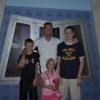
well I'm almost 16 months post op and I'm still at it. I have a tough time losing more weight but I did manage to make it to 215 pounds now. My goal is around 200 pounds. Its been a ton of work, I run 2-3 miles each day and now added weight lifting. Believe it or not the adding of weight lifting has transformed so many different parts of my body and also bumped started the extra 6 pound weight lose. I've started to firm up the flabby areas. I manage4d to run my first 8k on thanks giving. That wa
  • NYdad

Account

Navigation

Search

Search

Configure browser push notifications

Chrome (Android)
  1. Tap the lock icon next to the address bar.
  2. Tap Permissions → Notifications.
  3. Adjust your preference.
Chrome (Desktop)
  1. Click the padlock icon in the address bar.
  2. Select Site settings.
  3. Find Notifications and adjust your preference.