Skip to content
View in the app

A better way to browse. Learn more.

BariatricPal

A full-screen app on your home screen with push notifications, badges and more.

To install this app on iOS and iPadOS
  1. Tap the Share icon in Safari
  2. Scroll the menu and tap Add to Home Screen.
  3. Tap Add in the top-right corner.
To install this app on Android
  1. Tap the 3-dot menu (⋮) in the top-right corner of the browser.
  2. Tap Add to Home screen or Install app.
  3. Confirm by tapping Install.
  • Appearance

Join BariatricPal free

  • Ask your own questions
  • Reply and follow topics
  • Message other members
  • No cost, no spam

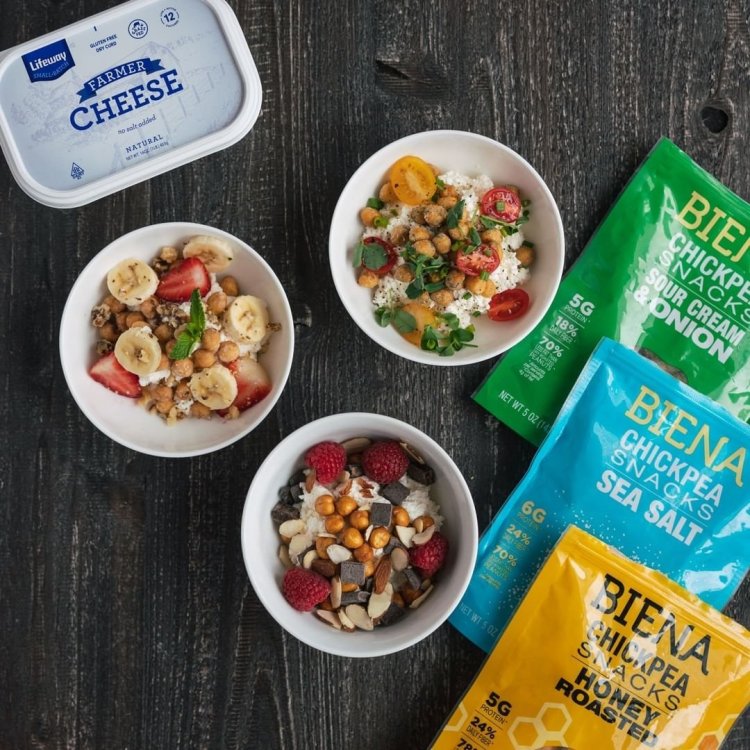
Biena Chickpea Snacks are now available!

Biena Snacks are now available at the BariatricPal Store! Biena Snacks are deliciously crunchy roasted Chickpea Snacks in familiar flavors such as Sea Salt, Honey, Chocolate, Habanero, and more! Award-winning Biena snacks are packed with protein and fiber while also being gluten-free. Many Biena Chickpea Snacks are also vegan! Check them out at http://bit.ly/2Vd0RQ9

91356b7130515c20fde84f4803c78ba93f74b868_9ce6325dd47f0a0c7f0aa66720fafd81bcb0eb84_facebook.jpeg

  • Views 804
  • Created
  • Last Reply

Posted Images

Featured Replies

No posts to show

Join the conversation

You can post now and register later. If you have an account, sign in now to post with your account.

Guest
Reply to this topic...

Account

Navigation

Search

Search

Configure browser push notifications

Chrome (Android)
  1. Tap the lock icon next to the address bar.
  2. Tap Permissions → Notifications.
  3. Adjust your preference.
Chrome (Desktop)
  1. Click the padlock icon in the address bar.
  2. Select Site settings.
  3. Find Notifications and adjust your preference.