Skip to content
View in the app

A better way to browse. Learn more.

BariatricPal

A full-screen app on your home screen with push notifications, badges and more.

To install this app on iOS and iPadOS
  1. Tap the Share icon in Safari
  2. Scroll the menu and tap Add to Home Screen.
  3. Tap Add in the top-right corner.
To install this app on Android
  1. Tap the 3-dot menu (⋮) in the top-right corner of the browser.
  2. Tap Add to Home screen or Install app.
  3. Confirm by tapping Install.

Passed my psych eval!

  • Replies 7
  • Views 702
  • Created
  • Last Reply

Top Posters In This Topic

Most Popular Posts

  • lifeasfaith
    lifeasfaith

    [emoji23][emoji23][emoji23]I think that's pretty much what I did Sent from my moto e5 (XT1920DL) using BariatricPal mobile app

  • ProudGrammy
    ProudGrammy

    @lifeasfaith did someone say CAKE? glad everything worded out in your favor!! March is right around the corner good luck , speedy recovery kathy congrats

  • [emoji23] [emoji23] [emoji23] [emoji23] [emoji23] [emoji23] now this is funny! Sent from my SM-N960U1 using BariatricPal mobile app

Posted Images

Featured Replies

10 minutes ago, lifeasfaith said:

Piece of cake! I was worried for nothing! Now on to dietary consult exercise consult then submit to insurance andost likely aarch surgery. I started this process Dec 18th so not bad! Super fast and easy!

Sent from my moto e5 (XT1920DL) using BariatricPal mobile app

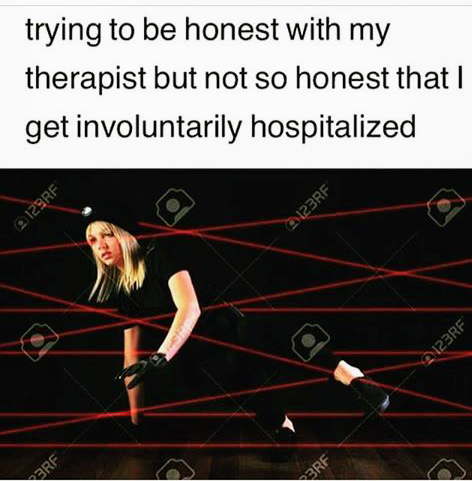
Mission: Possible

congratulations

Screenshot_2019-01-24-15-08-57~2.png

7 hours ago, lifeasfaith said:

Piece of cake! was worried for nothing!

@lifeasfaith

did someone say CAKE?

glad everything worded out in your favor!! March is right around the corner

good luck , speedy recovery

kathy

congrats

Glad you conquered all the ropes. Congratulations and may you have the best of luck.

Join the conversation

You can post now and register later. If you have an account, sign in now to post with your account.

Guest
Reply to this topic...

Trending Products

PatchAid Vitamin Patches

Account

Navigation

Search

Search

Configure browser push notifications

Chrome (Android)
  1. Tap the lock icon next to the address bar.
  2. Tap Permissions → Notifications.
  3. Adjust your preference.
Chrome (Desktop)
  1. Click the padlock icon in the address bar.
  2. Select Site settings.
  3. Find Notifications and adjust your preference.