Skip to content
View in the app

A better way to browse. Learn more.

BariatricPal

A full-screen app on your home screen with push notifications, badges and more.

To install this app on iOS and iPadOS
  1. Tap the Share icon in Safari
  2. Scroll the menu and tap Add to Home Screen.
  3. Tap Add in the top-right corner.
To install this app on Android
  1. Tap the 3-dot menu (⋮) in the top-right corner of the browser.
  2. Tap Add to Home screen or Install app.
  3. Confirm by tapping Install.

Down 134lbs since sleeve surgery

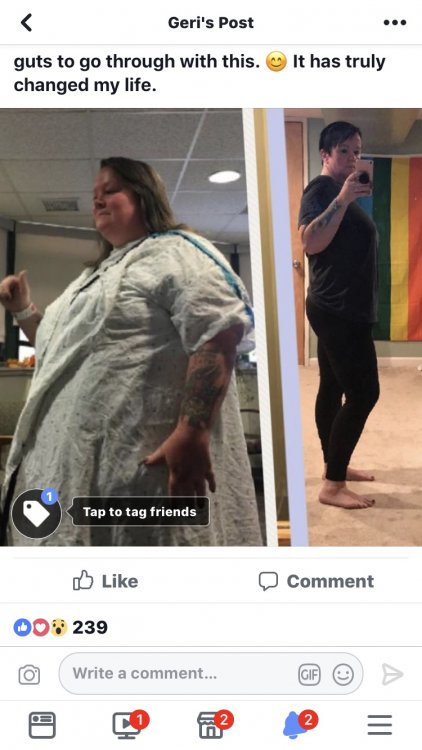
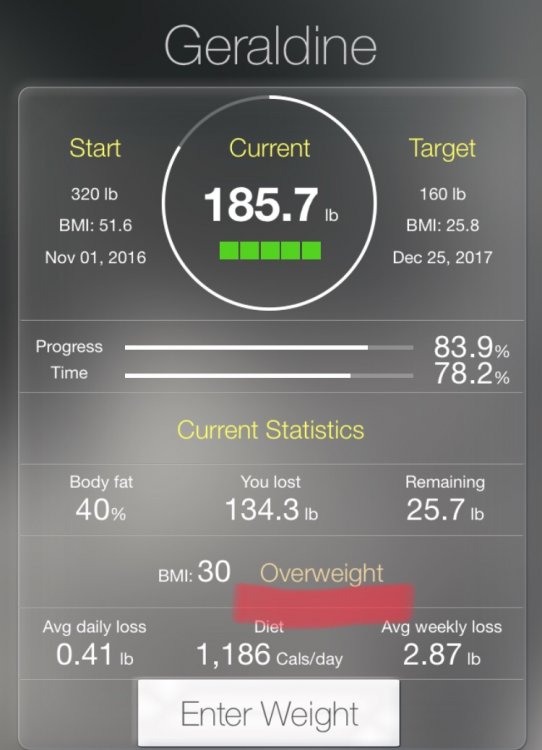
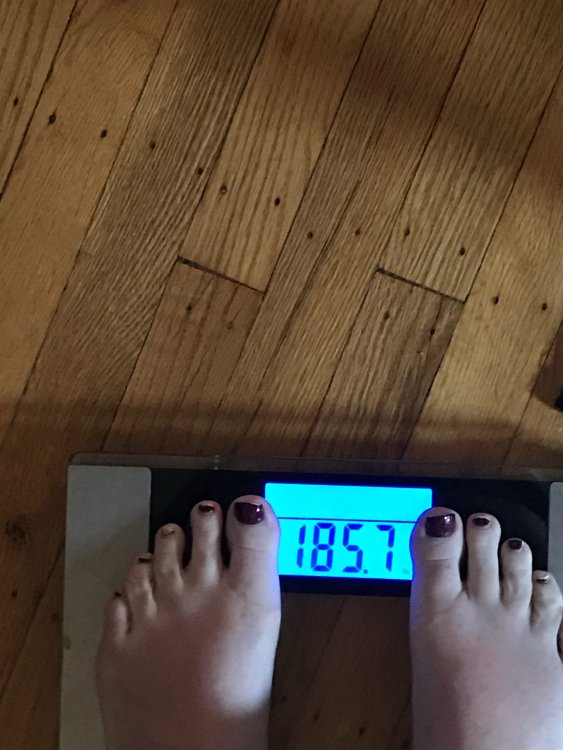
I was sleeved on 11/01/16 and weighed 320lbs. I have been obese my entire life and today my BMI changed to overweight. I don’t think I’ve ever been so excited to be overweight. My weight as of today was 185.7 lbs and I couldn’t be happier having had VSG surgery. I will be 11 months post op on 10/1 and my life has changed so much in these 11 months. IMG_8387.JPGIMG_8423.JPGIMG_8419.JPG
  • Replies 29
  • Views 3.6k
  • Created
  • Last Reply

Featured Replies

I was sleeved on 11/01/16 and weighed 320lbs. I have been obese my entire life and today my BMI changed to overweight. I don’t think I’ve ever been so excited to be overweight. My weight as of today was 185.7 lbs and I couldn’t be happier having had VSG surgery. I will be 11 months post op on 10/1 and my life has changed so much in these 11 months. IMG_8387.thumb.JPG.610463f8037dc0626696b65eaf492f1a.JPGIMG_8423.thumb.JPG.5d4cdca7fa7876928d361e6fdce258ec.JPGIMG_8419.thumb.JPG.15a9c4aba4d436a77e371fa9734542ea.JPG

Congratulations!!!!!! Keep up the good work!!!!!!!!

Sent from my SM-N920T using BariatricPal mobile app

Woohoo!! Go Geraldine!

Congratulations, what an accomplishment. U look awesome, so happy for you.

Sent from my SAMSUNG-SM-G935A using BariatricPal mobile app

I'm just about to get under 40 BMI. I'm currently "obese class 3". What comes after that- class 4?

I hope to get under 30 by the time I'm at my set point. Great job!

That's awesome. Congrats.

you look fabulous!

beautiful!

  • 2 weeks later...

Archived

This topic is now archived and is closed to further replies.

Trending Products

PatchAid Vitamin Patches

Account

Navigation

Search

Search

Configure browser push notifications

Chrome (Android)
  1. Tap the lock icon next to the address bar.
  2. Tap Permissions → Notifications.
  3. Adjust your preference.
Chrome (Desktop)
  1. Click the padlock icon in the address bar.
  2. Select Site settings.
  3. Find Notifications and adjust your preference.