Skip to content
View in the app

A better way to browse. Learn more.

BariatricPal

A full-screen app on your home screen with push notifications, badges and more.

To install this app on iOS and iPadOS
  1. Tap the Share icon in Safari
  2. Scroll the menu and tap Add to Home Screen.
  3. Tap Add in the top-right corner.
To install this app on Android
  1. Tap the 3-dot menu (⋮) in the top-right corner of the browser.
  2. Tap Add to Home screen or Install app.
  3. Confirm by tapping Install.

March

March sleevers make some noise[emoji322][emoji322][emoji322][emoji322][emoji322][emoji322][emoji322][emoji322][emoji322][emoji322][emoji322][emoji322][emoji322][emoji322][emoji322][emoji322]

  • Replies 304
  • Views 15.3k
  • Created
  • Last Reply

Featured Replies

At least we will all be slimming down b4 summer :) goodbye pepperoni pizza

March 6th and kinda freaking out! Hoping this is the right decision.

It totally is! Keep us updated


Hi, I am also 43 and having my operation on March 28! I can't wait to get it done and I'm just trying to stay really positive and deal with any issues as they arise.


I am also 43 and having surgery on the 28. Right before my bday in April. We will all get through this together

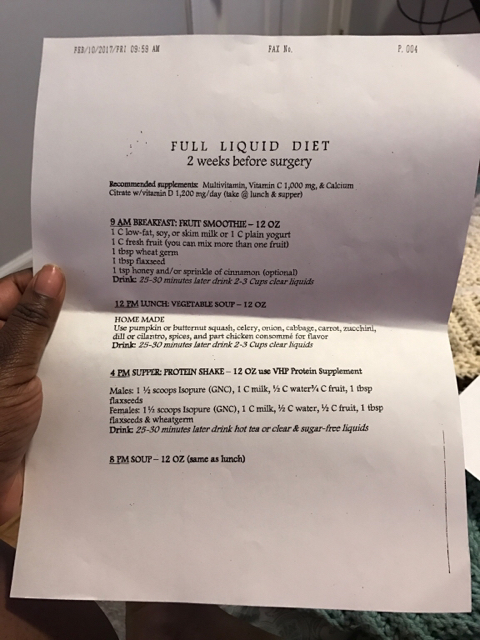
March 22nd in Calgary Alberta! Starting my liquid diet on the 8th.

Archived

This topic is now archived and is closed to further replies.

Trending Products

PatchAid Vitamin Patches

Account

Navigation

Search

Search

Configure browser push notifications

Chrome (Android)
  1. Tap the lock icon next to the address bar.
  2. Tap Permissions → Notifications.
  3. Adjust your preference.
Chrome (Desktop)
  1. Click the padlock icon in the address bar.
  2. Select Site settings.
  3. Find Notifications and adjust your preference.