Skip to content
View in the app

A better way to browse. Learn more.

BariatricPal

A full-screen app on your home screen with push notifications, badges and more.

To install this app on iOS and iPadOS
  1. Tap the Share icon in Safari
  2. Scroll the menu and tap Add to Home Screen.
  3. Tap Add in the top-right corner.
To install this app on Android
  1. Tap the 3-dot menu (⋮) in the top-right corner of the browser.
  2. Tap Add to Home screen or Install app.
  3. Confirm by tapping Install.

So far so good.

  • Popular Post

Hi Everyone,

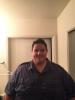
Started my journey at 533.8. I went on my pre op diet and got down to 508 on July 29th 2016. It's been an Up and down road with hip issues and gout but as of November 15th I'm down 142lbs. I would like to be at my goal weight of 220 by my surgaversary or soon after.

Best decision ever and I don't regret it.

I tend to walk 4 miles a day then do gym circuit, stairmaster and weights. Yoga has been great too.

Can't wait to go on roller coasters. post-305934-14792687635654_thumb.jpgpost-305934-14792687745761_thumb.jpg

Sent from my iPhone using the BariatricPal App

Edited by Dustinhall83

  • Replies 15
  • Views 1.4k
  • Created
  • Last Reply

Featured Replies

Yay for roller coasters! Great goal!!

Fantastic!!!!

Sent from my LG-H740 using the BariatricPal App

  • Author

How do you have the energy to do that much exercising everyday. My calorie intake is only 300-400 calories maybe

Sent from my SAMSUNG-SM-G928A using the BariatricPal App

Mind over everything. I have been big my whole life and finally being able to fit on roller coasters, airplanes and shop at regular stores is a drive for me. It's important to find your drive on why and let that push you beyond what you "think" you could do

Sent from my iPhone using the BariatricPal App

Archived

This topic is now archived and is closed to further replies.

Trending Products

PatchAid Vitamin Patches

Account

Navigation

Search

Search

Configure browser push notifications

Chrome (Android)
  1. Tap the lock icon next to the address bar.
  2. Tap Permissions → Notifications.
  3. Adjust your preference.
Chrome (Desktop)
  1. Click the padlock icon in the address bar.
  2. Select Site settings.
  3. Find Notifications and adjust your preference.