




Who is that?
- Replies 6
- Views 670
- Created
- Last Reply
Top Posters In This Topic
-
lisacaron 1 post
-
Bandista 1 post
-
JustWatchMe 1 post
-
Djmohr 1 post




Popular Days
Most Popular Posts
-
I can totally relate! ISN'T IT WONDERFUL??? For the first time EVER in my life, I was able to buy "regular" and not wide width sandals this past weekend! OMG, I am elated!!!!! Love love love it!

Posted Images
Featured Replies
Join the conversation
You can post as a guest; create a free account to track replies, follow topics, and be part of the largest weight loss surgery community.
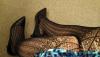
If anyone would have told me two years ago that these legs belonged to me, I wouldn't have believed it. First of all, they are small enough to cross...second, there are heels on those feet, and lastly, check out those fishnet stockings..lol!
It's a far cry from the pants I wore every day because my body looked awful in a dress, the wide shoes I had to wear because my feet were so swollen, and the flats I could only wear because my hips and knees were way too painful to even think of wearing any kind of heel.
Ok, back to work...