Skip to content
View in the app

A better way to browse. Learn more.

BariatricPal

A full-screen app on your home screen with push notifications, badges and more.

To install this app on iOS and iPadOS
  1. Tap the Share icon in Safari
  2. Scroll the menu and tap Add to Home Screen.
  3. Tap Add in the top-right corner.
To install this app on Android
  1. Tap the 3-dot menu (⋮) in the top-right corner of the browser.
  2. Tap Add to Home screen or Install app.
  3. Confirm by tapping Install.

Getting enough liquids in?

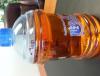
Hi everyone! Ive been struggling since my surgery to getvall my fluids in so finally I foundca solution. This keeps me on schedule to get at least 2 litres in a day...just thoughtvI would share what works for me!

post-204148-0-95183300-1394211071_thumb.jpg

Edited by solea78

  • Replies 10
  • Views 1.2k
  • Created
  • Last Reply

Featured Replies

Whatever works! :)

Thanks for the tip as I too have been struggling with the liquid issue. :-)

I like this I'm gonna start doing that. Thanks

Great tip! I'm struggling as well the past few days. I think I'll set an alarm on my phone or something lol, especially since I was just reading a post on hair loss- yikes!

I struggle too! Go to bed feeling so thirsty, but cannot fit another drop in- hectic work day everyday- I forget and fall behind quickly. I am so going to do this starting Monday- great idea!

Gotta say it that looks like a bottle of pee hehehehehe

That's a good idea!!! Funny thing is I know what I'm supposed to do but some days the liquids just won't go down. It's like being so thirsty but you just can't swallow. I hate that feeling.

Do the protein shakes count towards the liquid intake. Or is it just water?

Do the protein shakes count towards the liquid intake. Or is it just water?

Protein shakes do count as liquids. All fluids count - and so does sugar free jello! Except, you have to be careful with caffeinated fluids, because they do not hydrate you well.

Archived

This topic is now archived and is closed to further replies.

Trending Products

PatchAid Vitamin Patches

Account

Navigation

Search

Search

Configure browser push notifications

Chrome (Android)
  1. Tap the lock icon next to the address bar.
  2. Tap Permissions → Notifications.
  3. Adjust your preference.
Chrome (Desktop)
  1. Click the padlock icon in the address bar.
  2. Select Site settings.
  3. Find Notifications and adjust your preference.