Skip to content
View in the app

A better way to browse. Learn more.

BariatricPal

A full-screen app on your home screen with push notifications, badges and more.

To install this app on iOS and iPadOS
  1. Tap the Share icon in Safari
  2. Scroll the menu and tap Add to Home Screen.
  3. Tap Add in the top-right corner.
To install this app on Android
  1. Tap the 3-dot menu (⋮) in the top-right corner of the browser.
  2. Tap Add to Home screen or Install app.
  3. Confirm by tapping Install.

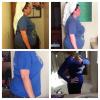
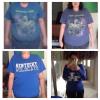
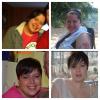
10 months out!

Starting weight 278lbs

Today I am 170!

post-166651-0-02433500-1388073224_thumb.jpg

post-166651-0-70601500-1388074482_thumb.jpg

post-166651-0-08073100-1388074476_thumb.jpg

  • Replies 13
  • Views 1.8k
  • Created
  • Last Reply

Featured Replies

Congratulations and lovely!

You look fabulous!! Congratulations!

  • Author

Thank you. I am getting there. Getting so close that I can taste it. Happy either way right now though :)

Congratulations! You look great! Over 100 pounds lost - what an inspiration!

(I will forgive the Kentucky shirt for this post only - GO DUKE!!!!!!!) :-)

  • Author

Congratulations! You look great! Over 100 pounds lost - what an inspiration! (I will forgive the Kentucky shirt for this post only - GO DUKE!!!!!!!) :-)

. Lol, don't hate.. I will forgive you for putting the Blue Devils on this post ;)

You look great!!! The short hair really suits you!!! Congrats!!!

Wow! Congratulations, your progress is amazing. Only 2 weeks out here and only hope to do as well at this.

  • Author

Wow! Congratulations, your progress is amazing. Only 2 weeks out here and only hope to do as well at this.

I am sure you will. It seems like it takes forever but it really doesn't. Good luck on your journey! My love handles are trying to stay for some reason. I guess they will be the last to go, lol.

You look amazing, congratulations!!!

  • Author

Thank you :)

Incredible!! Thank you so much for sharing!!

Archived

This topic is now archived and is closed to further replies.

Trending Products

PatchAid Vitamin Patches

Account

Navigation

Search

Search

Configure browser push notifications

Chrome (Android)
  1. Tap the lock icon next to the address bar.
  2. Tap Permissions → Notifications.
  3. Adjust your preference.
Chrome (Desktop)
  1. Click the padlock icon in the address bar.
  2. Select Site settings.
  3. Find Notifications and adjust your preference.