Skip to content
View in the app

A better way to browse. Learn more.

BariatricPal

A full-screen app on your home screen with push notifications, badges and more.

To install this app on iOS and iPadOS
  1. Tap the Share icon in Safari
  2. Scroll the menu and tap Add to Home Screen.
  3. Tap Add in the top-right corner.
To install this app on Android
  1. Tap the 3-dot menu (⋮) in the top-right corner of the browser.
  2. Tap Add to Home screen or Install app.
  3. Confirm by tapping Install.

Christmas Pics

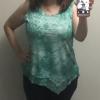
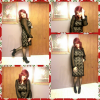
So here are a few pics i took yesterday before i went to our Christmas dinner Party, i have to say i feel Great, i got ALOT of possitive feedback from friends and family that i had not seen in a while, for those wondering i was sleeved on 9/10/13 =) Merry Christmas 2 All and Happy New Year and Congratulations to us all!

post-178537-0-54301500-1387804988_thumb.png

[ATTACH]38997[/ATTACH]

  • Replies 9
  • Views 868
  • Created
  • Last Reply

Featured Replies

Congratulations! You look great!

You look awesome. Congratulations and healthy and happy New Year to us all. Imagine our New Years Resolution maybe different than what we have sworn in the past- to loose weight.

  • Author

Congratulations! You look great!

Thanks Mama Spike =)

  • Author

You look awesome. Congratulations and healthy and happy New Year to us all. Imagine our New Years Resolution maybe different than what we have sworn in the past- to loose weight.

Thanks scarlet333 =)

You look gorgeous!!!!

  • Author

Stunning! Merry Christmas

Thanks Ballermom Merry Christmas 2 you

You're adorable! I hope you enjoyed all the well deserved attention my dear!

  • Author

You look awesome. Congratulations and healthy and happy New Year to us all. Imagine our New Years Resolution maybe different than what we have sworn in the past- to loose weight.

Thank you =)

Archived

This topic is now archived and is closed to further replies.

Trending Products

PatchAid Vitamin Patches

Account

Navigation

Search

Search

Configure browser push notifications

Chrome (Android)
  1. Tap the lock icon next to the address bar.
  2. Tap Permissions → Notifications.
  3. Adjust your preference.
Chrome (Desktop)
  1. Click the padlock icon in the address bar.
  2. Select Site settings.
  3. Find Notifications and adjust your preference.