Skip to content
View in the app

A better way to browse. Learn more.

BariatricPal

A full-screen app on your home screen with push notifications, badges and more.

To install this app on iOS and iPadOS
  1. Tap the Share icon in Safari
  2. Scroll the menu and tap Add to Home Screen.
  3. Tap Add in the top-right corner.
To install this app on Android
  1. Tap the 3-dot menu (⋮) in the top-right corner of the browser.
  2. Tap Add to Home screen or Install app.
  3. Confirm by tapping Install.
  • Appearance

Join BariatricPal free

  • Ask your own questions
  • Reply and follow topics
  • Message other members
  • No cost, no spam

Thanksgiving Challenge

  • Popular Post

Although it's still a little early, I wanted to go ahead and get things set up for a new challenge...the
Thanksgiving Challenge.

turkey.gif

1. Be sure and log in here on October 31, post your start weight and your goal weight for the challenge.
2. When setting your goal, keep in mind that this is a short challenge, only 4 weeks long.
3. Weigh in every Thursday and post your updates here.
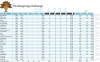
4. Watch the data at http://sdrv.ms/1c1AT8J to see our progress as individuals and as a team.

GOOD LUCK!

Big nod out to FeelsMe2 for setting up the Halloween Challenge that we're having so much fun with! Just trying to follow suit with the next challenge. To check out the Halloween Challenge data, go to http://sdrv.ms/19Qmc3j.

Last Update (attachment): 11/08/2013

post-181391-0-05616000-1383968298_thumb.png

Edited by Bea Amaya

  • Replies 299
  • Views 16.3k
  • Created
  • Last Reply

Top Posters In This Topic

Most Popular Posts

  • Last week: 202.4 This week 198.6 -3.8 lbs and Onderland!!!

  • Thanksgiving Challengers (just for fun):

  • Woo Hoo! There are a LOT of us in the challenge now...the more, the merrier. You'll know each week if your data has been updated because you'll see a "Like" from me on the item. Remember to look at th

Posted Images
Featured Replies

Been stalled at 179.6 for 4 days. But I guess thats ok since I had a goal of 179 because I was stalled at 186. Lose 5 then stall a week. New goal for Thanksgiving. ..175.

Checking in!

Starting challenge weight: 239

Current weight: 227

Tgiving goal: 225

2 more pounds to go!!

Hello,

10-31-13 179 lbs

11-7-13 177 lbs

11-14-13 175 lbs

Thanx Day goal - I would like to get in the 160's.

I hope everyone is doing well on there weight loss. Take Care.

Went back to basics this week after 2 less than stellar showings, and down to 222.8. 3.6 loss! Don't think I'll be making my goal of 215, but if I get into the teens I'll be a happy camper!

  • Author

Went back to basics this week after 2 less than stellar showings, and down to 222.8. 3.6 loss! Don't think I'll be making my goal of 215, but if I get into the teens I'll be a happy camper!

Awesome! Glad to see you are definitely back in the game. I just got into the 220s myself so I'm right behind you in this. I love it that we are [all] moving forward together. :)

  • Author

My stats:

31-Oct 238.2

07-Nov 236.2

17-Nov 232.4

21-Nov 228.4

TG Goal 228.0

Yippee!

Well I am still at the same as last week. Didn't lose anything. 199.2. Sigh....

I've been stalled through this entire challenge... Boo

247. Lost a pound. A bit discouraging. But a pound off rather than on..

Not happy but life goes on. 214.5 this week.

Challenge SW 185

Challenge GW 177

CW 177, down 3 pounds from last week

Thanks again for doing this!

Current weight 153.

Down one more lbs. CW 152

Current weight 176

Thanks Bea!

Today's weight- 223.

Join the conversation

You can post as a guest; create a free account to track replies, follow topics, and be part of the largest weight loss surgery community.

Join the conversation

You can post now and register later. If you have an account, sign in now to post with your account.

Guest
Reply to this topic...

Account

Navigation

Search

Search

Configure browser push notifications

Chrome (Android)
  1. Tap the lock icon next to the address bar.
  2. Tap Permissions → Notifications.
  3. Adjust your preference.
Chrome (Desktop)
  1. Click the padlock icon in the address bar.
  2. Select Site settings.
  3. Find Notifications and adjust your preference.