Skip to content
View in the app

A better way to browse. Learn more.

BariatricPal

A full-screen app on your home screen with push notifications, badges and more.

To install this app on iOS and iPadOS
  1. Tap the Share icon in Safari
  2. Scroll the menu and tap Add to Home Screen.
  3. Tap Add in the top-right corner.
To install this app on Android
  1. Tap the 3-dot menu (⋮) in the top-right corner of the browser.
  2. Tap Add to Home screen or Install app.
  3. Confirm by tapping Install.

1st 5K post op!

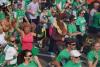
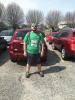
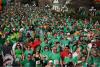
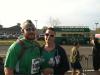
So, I completed my first 5K since surgery last May. Did it in 44:31 only ran about a third of it and walked the rest. This time last year I never imagined myself doing this. It was amazing. I actually felt like crying afterwards, but being the big badass I think I am....i held it back. So here are a few pics of before the surgery and on 5K day! And lucky me the beautiful girl next to me is my soon to be wife on April 14th!

post-24180-13813811602538_thumb.jpg

post-24180-13813811603448_thumb.jpg

post-24180-13813811604252_thumb.jpg

post-24180-13813811604754_thumb.jpg

post-24180-13813811605485_thumb.jpg

post-24180-13813811606226_thumb.jpg

post-24180-1381381160704_thumb.jpg

  • Replies 5
  • Views 635
  • Created
  • Last Reply

Featured Replies

Wow!!! Congratulations!! Love the green mohawk :)

That's is so wonderful! Congratulations on finishing, and also on your upcoming marriage!

Congrats!! I'm training for my first one in May and ill probably have the same feeling when I finish that you did!

Awesome!! I signed up for a Color Me Rad 5K in June. I had surgery 2/19. It will be my first 5K and my first attempt to really learn to run. I don't really expect that I'll be ready to run the whole thing, but i intend to keep it fun and moving forward. Congrats!!

Archived

This topic is now archived and is closed to further replies.

Trending Products

PatchAid Vitamin Patches

Account

Navigation

Search

Search

Configure browser push notifications

Chrome (Android)
  1. Tap the lock icon next to the address bar.
  2. Tap Permissions → Notifications.
  3. Adjust your preference.
Chrome (Desktop)
  1. Click the padlock icon in the address bar.
  2. Select Site settings.
  3. Find Notifications and adjust your preference.