Cluck21
Gastric Bypass Patients
-
Joined
-
Last visited
Everything posted by Cluck21
-
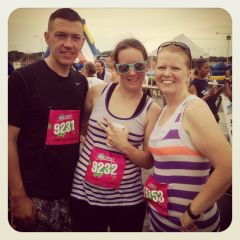
I have dreamed of learning to run for a very long time. Having the surgery and losing the weight gave me the motivation and opportunity to combine my dream with a goal to succeed. I have run several races and began it all with a couch to 5K app. Began in April of 2013 and as of now (November of 2013) I am running 5miles three days of the week. I'm working toward my first 10K race in about a week from now.
-
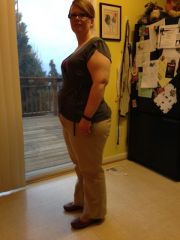
Cluck21, a weight loss surgery photo album by Cluck21 on BariatricPal. 3 photos in Member Photo Gallery.
-
Thanks everyone. I have an appointment this week with my NUT. I'll see what she says. I am not so good with cooked veggies. I like them better raw. I am dying to expand my diet a bit so I don't get too bored. Bored = bad. :/
-
I had surgery February 19. I feel like I've been on mushies for ev er. When were you allowed to have fresh fruits and veggies? When are seeds and peels no longer an issue? I miss corn.
-
I think I'm having an intolerance to eggs strangely only if scrambled. My GI system becomes super grumbly loud, gassy (from both ends), and diarrhea. I once pan fried an egg and don't recall having this trouble. Even weirder is that one scrambled egg was "real" the other was Egg Beater. I think I'm just going to back off eggs for a while.
-
Awesome!! I signed up for a Color Me Rad 5K in June. I had surgery 2/19. It will be my first 5K and my first attempt to really learn to run. I don't really expect that I'll be ready to run the whole thing, but i intend to keep it fun and moving forward. Congrats!!
-
I feel the same way. This thread has really made me feel better. I'm 3 weeks post op and am doing it all too. I think I too am just trying to cope with those old failure feelings. Faith and patients. It's what I got! One day at a time.
-
I feel your concern. Patients sure is a tough lesson and no matter how many times we have the lesson, it just don't get easier to deal with. I'm only three and a half weeks post op. I lost 16lbs on the two week liquid diet and another 14 after surgery (pretty much in the first two weeks). I feel pretty good about that, but after this week I'm already worried about stalling. I am doing everything I'm told, so I have to use my faith to get me the patients to see this all go just the way it's supposed to. I feel your burden and am glad you are here letting us know so we can support you.
-
I do take the sublingual B12. It's the B50 that super gross. I gave in and am taking it with a small bit of pudding to make sure it slides down. The capsule wall is pretty flimsy so I'm sure it dissolves quick. So far no troubles yet. ))
-
Awesome!!
-
I took two weeks and would have been fine with that, but learned that a pain in my abdomen was due to a rare incidence of a stitch in a nerve. Made pretty much every thing painful, so the doc put me off an extra week to give the stitch some time to dissolve while I continued more pain meds with a lidocaine patch. Total of 3 weeks and I have a desk type job.
-
Holy cow! Congrats! I agree w/ BandMom you need to get a nutrition plan down quick! I pray for a happy healthy pregnancy.
-
I do that too. It has been impressed upon me that I take the B50 complex because you could end up with nerve damage without it. It's the grossest of all the vitamins. Haha!
-
You are too sweet. Thanks you so much for your help!
-
Thanks! I'm still kind of on the fence because it's a bit of a larger capsule. Probably the size of two extra strength tylenol put together. The outer shell is flimsy, so I am thinking it will dissolve fast. I tried to mix it with applesauce and later pudding, but it was so bitter I just heaved until I got it down. I just don't think I'm gonna be able to do that every day until they clear me to swallow a pill. So frustrating. Everything else I have found a way to handle, but this one darn yet oh so important vitamin. Grrr.
-
I managed to collect enough yoga pants over the years that I've been living in them. Luckily my work pants are all soft fabric and I'm sure now loose as I've lost 30lbs since wearing them last. Jeans were a little tough because the fabric is tougher.
-
As long as you do the prep right. The endoscopy will be nothing. The worst you'll feel is them putting the IV on you.
-
So you've been taking it in pill form with no problem?
-
Ugh! I know how important the B complex is, but I can't find it in chewable. It's so bitter, it makes me heave. Is there a chewable? If not, what have some of you done to get this one down? How long until I can take a pill?
-
I just started back to the gym today. I did 30 minutes on the treadmill with interval incline shifts. I am about 2.5 weeks post op. I had some unusual pain just left of my naval. Turns out they incidentally ran a stitch through a nerve. So, I had to take it easy a bit longer. I still got in activity, but it was walking in the neighborhood or parking far away in a parking lot.
-
I believe it is a standard. Sorry . Only five to go right?
-
I would call the surgeon. Why wait for the appointment? Lab work won't help, Lovenox cannot be tracked via INR. It is a low molecular weight heparin. One thing to remember is that if (God forbid) you end up with a clot of some kind post op, the insurance will go after the MD for not following best practice standards. I don't think I'd tempt fate on this one.
-
Yeah, I HATE those horrible shakes too. I just pinch my nose and sip. Just do your best and you will get though. Hang in there