Skip to content
View in the app

A better way to browse. Learn more.

BariatricPal

A full-screen app on your home screen with push notifications, badges and more.

To install this app on iOS and iPadOS
  1. Tap the Share icon in Safari
  2. Scroll the menu and tap Add to Home Screen.
  3. Tap Add in the top-right corner.
To install this app on Android
  1. Tap the 3-dot menu (⋮) in the top-right corner of the browser.
  2. Tap Add to Home screen or Install app.
  3. Confirm by tapping Install.

Feeling Great!

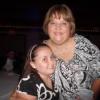
Hi eveyone i never took the time to introduce myself my name is tammie i'm from cailfornia i had my surgery on the 2 of jan my weight start was 260 lb im down to 235 lb i'm so excited to see the weight coming off my goal is to weight 150

  • Replies 7
  • Views 598
  • Created
  • Last Reply

Featured Replies

HI and Welcome!

This is a great place for support and help! You have done really well so far. Congrats on your loss!

Hello! Our starting stats were the same..except you're losing faster than me...great job! I had my surgery 12/7/12.

  • Author

Thank you so much how much have you lost so far?

Hi eveyone i never took the time to introduce myself my name is tammie i'm from cailfornia i had my surgery on the 2 of jan my weight start was 260 lb im down to 235 lb i'm so excited to see the weight coming off my goal is to weight 150

hi Tammie! wow it sounds like you are really losing at a good pace! are you having any problems eating? What are you eating now? is it hard? Lol I have so many questions!

  • Author

Lol.. i'm on a liquid diet since december 20 before my surgery... just water, chicken broth, glucerna hunger smart shake and alot of walking..

Welcome and congrats!

Archived

This topic is now archived and is closed to further replies.

Trending Products

PatchAid Vitamin Patches

Account

Navigation

Search

Search

Configure browser push notifications

Chrome (Android)
  1. Tap the lock icon next to the address bar.
  2. Tap Permissions → Notifications.
  3. Adjust your preference.
Chrome (Desktop)
  1. Click the padlock icon in the address bar.
  2. Select Site settings.
  3. Find Notifications and adjust your preference.