Skip to content
View in the app

A better way to browse. Learn more.

BariatricPal

A full-screen app on your home screen with push notifications, badges and more.

To install this app on iOS and iPadOS
  1. Tap the Share icon in Safari
  2. Scroll the menu and tap Add to Home Screen.
  3. Tap Add in the top-right corner.
To install this app on Android
  1. Tap the 3-dot menu (⋮) in the top-right corner of the browser.
  2. Tap Add to Home screen or Install app.
  3. Confirm by tapping Install.

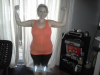
What a big loser!

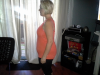
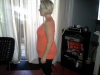
Down 25 pounds. Band to sleeve June 28th. Slow and steady wins the race. Just ask the turtle.....

post-61735-13813668763843_thumb.png

[ATTACH]16849[/ATTACH]

post-61735-13813668764326_thumb.png

[ATTACH]16850[/ATTACH]

  • Replies 11
  • Views 1.4k
  • Created
  • Last Reply

Featured Replies

  • Author

Lap band 1/11/11

Lost 61 pounds since day of lap band surgery.

Love my sleeve although I'm not so sure my sleeve loves me yet. She's a little snippy and likes what she likes.

Lookin' good Nurse Barbie! Sleeves just take a little time to realize they want to be our friends.

Lynda

  • Author

Here is what I looked like 3 months ago pre op.

Sorry I can't turn it around. Pic taken at my daughter's carnival birthday party.

post-61735-13813668764805_thumb.png

[ATTACH]16853[/ATTACH]

  • Author

Can you see the two photos at top? I can't so here they are again.

post-61735-13813668765225_thumb.png

[ATTACH]16854[/ATTACH]

post-61735-13813668765701_thumb.png

[ATTACH]16855[/ATTACH]

Nursebarbie, you are looking awesome!!!! :)

Great job!! :)

Well done!

Down 25 pounds. Band to sleeve June 28th. Slow and steady wins the race. Just ask the turtle.....

Your arms looks great and you look so young! Great job!

Great job, NurseBarbie! You look awesome!

NurseBarbie, you look amazing! Congrats to you!!

Archived

This topic is now archived and is closed to further replies.

Trending Products

PatchAid Vitamin Patches

Account

Navigation

Search

Search

Configure browser push notifications

Chrome (Android)
  1. Tap the lock icon next to the address bar.
  2. Tap Permissions → Notifications.
  3. Adjust your preference.
Chrome (Desktop)
  1. Click the padlock icon in the address bar.
  2. Select Site settings.
  3. Find Notifications and adjust your preference.