Skip to content
View in the app

A better way to browse. Learn more.

BariatricPal

A full-screen app on your home screen with push notifications, badges and more.

To install this app on iOS and iPadOS
  1. Tap the Share icon in Safari
  2. Scroll the menu and tap Add to Home Screen.
  3. Tap Add in the top-right corner.
To install this app on Android
  1. Tap the 3-dot menu (⋮) in the top-right corner of the browser.
  2. Tap Add to Home screen or Install app.
  3. Confirm by tapping Install.

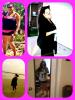
I will be 6 mths post op tomorrow:-)

I was sleeved on 9.20.12

HW:248

SW:233

CW:173

GW:130-135

Pix were taken 7.12, 10.12 & the last two are fr/ this past weekend.

post-35290-13813663980155_thumb.jpg

  • Replies 12
  • Views 1.1k
  • Created
  • Last Reply

Featured Replies

  • Author

Awe TY. I have been dealing w/ stalls lately.

  • Author

If say follow all ur dr's rules:-) I personally have totally changed the way I eat. I now stay away fr/ gluten as much as possible. I still enjoy food & deserts, but all in small potions. I take vitamins daily. I really lack motivation for exercising, but I did join a gym this mth:-) I wish u all the luck on ur journey!!!

If say follow all ur dr's rules:-) I personally have totally changed the way I eat. I now stay away fr/ gluten as much as possible. I still enjoy food & deserts' date=' but all in small potions. I take Vitamins daily. I really lack motivation for exercising, but I did join a gym this mth:-) I wish u all the luck on ur journey!!![/quote']

Thank u so much

  • Author

TY...TY:-)

You look fantastic!! Keep up the great work, you're doing awesome!! Thanx for sharing!!

You look great!!! Congrats

You don't even look like the same person! Wow! How cool!

Archived

This topic is now archived and is closed to further replies.

Account

Navigation

Search

Search

Configure browser push notifications

Chrome (Android)
  1. Tap the lock icon next to the address bar.
  2. Tap Permissions → Notifications.
  3. Adjust your preference.
Chrome (Desktop)
  1. Click the padlock icon in the address bar.
  2. Select Site settings.
  3. Find Notifications and adjust your preference.