Skip to content
View in the app

A better way to browse. Learn more.

BariatricPal

A full-screen app on your home screen with push notifications, badges and more.

To install this app on iOS and iPadOS
  1. Tap the Share icon in Safari
  2. Scroll the menu and tap Add to Home Screen.
  3. Tap Add in the top-right corner.
To install this app on Android
  1. Tap the 3-dot menu (⋮) in the top-right corner of the browser.
  2. Tap Add to Home screen or Install app.
  3. Confirm by tapping Install.

Its days like these...

  • Popular Post

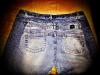
I was sleeved on 9.20.12 & I have days where I lose focus or I guess just get bummed. Well when I get this way I bring out my "big" clothes & the clothes I have had packed away because they were so small. Here's today's comparison:-) I'm on my way!!

post-35290-13813663520568_thumb.jpg

  • Replies 11
  • Views 877
  • Created
  • Last Reply

Featured Replies

zoinks! that's quite a difference! Great job!

How much have you lost?

Seriously!! lol That looks like my clothes compared my 3 year olds! haha I'm a big fat fatty... those small pants look like doll pants to me!! hahaha Very nice!!! :)

I finally put on the last pair of jeans I was wearing before surgery in July...I still can't fathom how big they were. Wow this really is workin:). Luv your pic.

  • Author

TY:-) I started out @ 248lbs & now I'm 175-176lbs. The bigger jeans r a size 18 missy & the smaller ones I'm currently wearing r a size 11jrs:-)

Awesome difference!! I started at 249 lbs, highest weight and am now 174 lbs, so we have comparable stats. I am 5'5" not sure how tall you are? I was at a size 20 and now am in a size 12!! Congrats to you!!!

  • Author

I am 5'3.

  • Author

I am 5'3.

Almost the same height too!! It's nice to see someone who is all but the same, so thanx for sharing :-)

Karen

  • Author

When were u sleeved?

  • Author

BTW...congrats to you as well:-)

Archived

This topic is now archived and is closed to further replies.

Trending Products

PatchAid Vitamin Patches

Account

Navigation

Search

Search

Configure browser push notifications

Chrome (Android)
  1. Tap the lock icon next to the address bar.
  2. Tap Permissions → Notifications.
  3. Adjust your preference.
Chrome (Desktop)
  1. Click the padlock icon in the address bar.
  2. Select Site settings.
  3. Find Notifications and adjust your preference.