




Skip to content
View in the app

A better way to browse. Learn more.

BariatricPal

A full-screen app on your home screen with push notifications, badges and more.

To install this app on iOS and iPadOS
  1. Tap the Share icon in Safari
  2. Scroll the menu and tap Add to Home Screen.
  3. Tap Add in the top-right corner.
To install this app on Android
  1. Tap the 3-dot menu (⋮) in the top-right corner of the browser.
  2. Tap Add to Home screen or Install app.
  3. Confirm by tapping Install.
  • Appearance

Join BariatricPal free

  • Ask your own questions
  • Reply and follow topics
  • Message other members
  • No cost, no spam

WLS Dining Out Card

Where would we Mexi Sleevers get this? I don't want to be stuck ordering Soup always to avoid large portion temptation.

Amanda Rae

  • Replies 11
  • Views 1.2k
  • Created
  • Last Reply

Top Posters In This Topic

Most Popular Posts

  • O.T.R. sleever
    O.T.R. sleever

    I typically have 1/2 my meal plated & the other 1/2 boxed straight from the kitchen.

Posted Images
Featured Replies

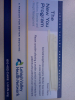
I am not sure about all doctors but I do know Dr Alvarez gives one.

What is a WLS dining out card?

What is a WLS dining out card?

Like this...

post-31674-13813663280924_thumb.png

[ATTACH]9592[/ATTACH]

I've never had a problem ordering from the child's menu or the senior for that matter. If there ever is a question I just tell them, I'm too young to have ID or I'm too old to drive so I don't have a license anymore ;-)

If I can't order from child's menu them I order a half plate, or I ask for a to go box to be brought with my food....I put away what I can't eat first...and save it for home. Lol

I typically have 1/2 my meal plated & the other 1/2 boxed straight from the kitchen.

I had not heard of that. Thanks!

I've never used mine. I just box up half or 3/4ths of what I am eating or don't order it.

  • Author

Thanx! I will ask my PCP.

Amanda Rae

Join the conversation

You can post as a guest; create a free account to track replies, follow topics, and be part of the largest weight loss surgery community.

Join the conversation

You can post now and register later. If you have an account, sign in now to post with your account.

Guest
Reply to this topic...

Account

Navigation

Search

Search

Configure browser push notifications

Chrome (Android)
  1. Tap the lock icon next to the address bar.
  2. Tap Permissions → Notifications.
  3. Adjust your preference.
Chrome (Desktop)
  1. Click the padlock icon in the address bar.
  2. Select Site settings.
  3. Find Notifications and adjust your preference.
