Skip to content
View in the app

A better way to browse. Learn more.

BariatricPal

A full-screen app on your home screen with push notifications, badges and more.

To install this app on iOS and iPadOS
  1. Tap the Share icon in Safari
  2. Scroll the menu and tap Add to Home Screen.
  3. Tap Add in the top-right corner.
To install this app on Android
  1. Tap the 3-dot menu (⋮) in the top-right corner of the browser.
  2. Tap Add to Home screen or Install app.
  3. Confirm by tapping Install.

My Change

  • Replies 34
  • Views 3.1k
  • Created
  • Last Reply

Top Posters In This Topic

Most Popular Posts

  • I would kill to have that "space", lol. Sent from my iPad using VST

  • 104 lbs

  • Fabulous!!! Simply FABULOUS!!! hot indeed. Keep up the fabulous work. Everybody give a standing ovation to Ms. tyvette04...clap clap clap clap clap
Posted Images

Featured Replies

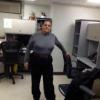
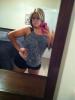
O my God you look amazing :) how long since your surgery? I just wonder how long does it take to loose 100lbs :)

Uuuulala...you look Fab! You truly inspire me!

What was your pre surgery weight?

Wow. You look AMAZING!! Good job!

When was your surgery?

Holy cannoli!!! You have that space between your legs. I think all girls want that!! Go you!!! :) nice work!!!!

Sent from my iPhone using VST

Holy cannoli!!! You have that space between your legs. I think all girls want that!! Go you!!! :) nice work!!!!

Sent from my iPhone using VST

I would kill to have that "space", lol.

Sent from my iPad using VST

That pic right there gives me hope. I want that space too. But I also want that big muscle on the thigh that pops out. I think a certain amount of muscles on a woman are sexy as all get out!

You look simply beautiful. Great loss!

Simply amazing! Like everyone else how long since surgery and do you have a lot of skin? Sorry gotta ask

Congrats!

Sent from my iPad using VST

Oh. My. Gosh!!!! You look amazing!! Girl your legs are fierce I hope mine look like that after I get sleeved!!! Congrats!!

You look Fabulous!!

wow, you look super!

Join the conversation

You can post now and register later. If you have an account, sign in now to post with your account.

Guest
Reply to this topic...

Trending Products

PatchAid Vitamin Patches

Account

Navigation

Search

Search

Configure browser push notifications

Chrome (Android)
  1. Tap the lock icon next to the address bar.
  2. Tap Permissions → Notifications.
  3. Adjust your preference.
Chrome (Desktop)
  1. Click the padlock icon in the address bar.
  2. Select Site settings.
  3. Find Notifications and adjust your preference.