Skip to content
View in the app

A better way to browse. Learn more.

BariatricPal

A full-screen app on your home screen with push notifications, badges and more.

To install this app on iOS and iPadOS
  1. Tap the Share icon in Safari
  2. Scroll the menu and tap Add to Home Screen.
  3. Tap Add in the top-right corner.
To install this app on Android
  1. Tap the 3-dot menu (⋮) in the top-right corner of the browser.
  2. Tap Add to Home screen or Install app.
  3. Confirm by tapping Install.

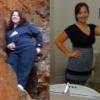
Super sleeve poster child

  • Replies 19
  • Views 2.3k
  • Created
  • Last Reply

Top Posters In This Topic

Most Popular Posts

Featured Replies

You are a superstar!

Hey Melli that is pretty fantastic!!!! You really ARE a poster gal for your surgery!!!

Congrats on all your success - you deserve to lead the pack!!!

Congrats!!!!!!!!!!!

Nice! I would love to be featured one day, too, but at the same time, I want to stay anonymous - I don't think that would happen!

I am so happy you decided to do it! I remember when you first posted that they wanted you to do this several months ago and you were unsure at that time. You are going to help many young people like yourself. AND you look AMAZING!!!!

YAY a celebrity! LOL. You look amazing.

  • Author

How was your experience with Dr. Rod? I am going there next month for VSG. Anything I need to know about the hospital, staff or just anything.

I loved Dr. Rod!! I would tell anyone and everyone to go to him! I have a blog post that had info I can send you. The hospital is like a resort and the staff is amazing! I know a very limited amount of Spanish but I just used the list they gave me. I would point to what I wanted in English and they would look on the other side to read it in Spanish. My main issue was gas pain so Gas-X and a heating pad were my bestfriends. When I was in pain the gas-x was amazing at getting that gas pain to go away. If there is anything else you want to know feel free to email me!

Join the conversation

You can post now and register later. If you have an account, sign in now to post with your account.

Guest
Reply to this topic...

Trending Products

PatchAid Vitamin Patches

Account

Navigation

Search

Search

Configure browser push notifications

Chrome (Android)
  1. Tap the lock icon next to the address bar.
  2. Tap Permissions → Notifications.
  3. Adjust your preference.
Chrome (Desktop)
  1. Click the padlock icon in the address bar.
  2. Select Site settings.
  3. Find Notifications and adjust your preference.