Skip to content
View in the app

A better way to browse. Learn more.

BariatricPal

A full-screen app on your home screen with push notifications, badges and more.

To install this app on iOS and iPadOS
  1. Tap the Share icon in Safari
  2. Scroll the menu and tap Add to Home Screen.
  3. Tap Add in the top-right corner.
To install this app on Android
  1. Tap the 3-dot menu (⋮) in the top-right corner of the browser.
  2. Tap Add to Home screen or Install app.
  3. Confirm by tapping Install.

Progress Picture

  • Replies 14
  • Views 1.1k
  • Created
  • Last Reply

Featured Replies

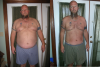
Congratulations! What a great health decision this was....I can't wait to begin. What's your work out routine like?

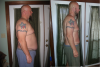
Fantastic progress! Congratulations!

You've done an outstanding job! You even look taller, but I can see from the door frame that you're height hasn't changed at all! Isn't that something? Keep up the good work...and share your workout routine with us, please.

I know how good you must feel. Congrats on a job well done!

Fantastic! :)

you look great

amazing!!! What an inspiration!!

  • Author

My workout is basic cardio. I jog (@13 min mile) a 5k 3-4 times a week. I started walking 2 miles, then power walk, then slow jog, then increased to 5k. I stay at slow jog because I want to run for 40-45 minutes.

I eat 600-1000 calories a day depending on my appetite.

Mostly raw spinach and chicken or fish. No red meat, venison only which I harvest myself during hunting season.

Breakfast - 2 cups of coffee and a shake

lunch - 2-3 cups of raw spinach, shredded cheddar, chicken, & ranch dressing. Half of this for lunch.

dinner - the rest of my lunch. If im still hungry, a shake.

Thats about it. Pretty routine and boring, but im a routine guy.

I reward myself every 10-15lbs with a bowl of cookie dough blue bell ice cream. Then run a bit harder the next day.

Thanks for all the encouragement. Its really appreciated!

Donnie

Banded on 3/25/2013

Starting weight 355.8

Current weight 270

Goal weight 209

Congratulations! What a difference'

Archived

This topic is now archived and is closed to further replies.

Trending Products

PatchAid Vitamin Patches

Account

Navigation

Search

Search

Configure browser push notifications

Chrome (Android)
  1. Tap the lock icon next to the address bar.
  2. Tap Permissions → Notifications.
  3. Adjust your preference.
Chrome (Desktop)
  1. Click the padlock icon in the address bar.
  2. Select Site settings.
  3. Find Notifications and adjust your preference.