Skip to content
View in the app

A better way to browse. Learn more.

BariatricPal

A full-screen app on your home screen with push notifications, badges and more.

To install this app on iOS and iPadOS
  1. Tap the Share icon in Safari
  2. Scroll the menu and tap Add to Home Screen.
  3. Tap Add in the top-right corner.
To install this app on Android
  1. Tap the 3-dot menu (⋮) in the top-right corner of the browser.
  2. Tap Add to Home screen or Install app.
  3. Confirm by tapping Install.

Tootin' my horn...

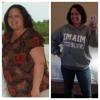
I was banded on April 29th and although it's been kinda tough the past 3 weeks on the different stages of the post-op diet, I made it. Today, I start "solids" and I'm pretty stoked.

I weighed 242 on April 1st, 222 on April 29th (SX day) and now I weigh 205!!! Woo Hoo! I have more energy, I can better keep up with my 4 kiddos (ages 6, 6, 4, and almost 1) and I've dropped TWO pant sizes!

I'm so thankful for this journey! My first fill is scheduled for the 28th of this month.

Thanks for listening! :-)

*happy dance*

  • Replies 8
  • Views 721
  • Created
  • Last Reply

Featured Replies

Awesome Job! Keep up the good work!

Wow! Great job!

So happy for you!

Great work!!!

Toot Toot girl! You are doing great!

I was banded on April 29th and although it's been kinda tough the past 3 weeks on the different stages of the post-op diet' date=' I made it. Today, I start "solids" and I'm pretty stoked.

I weighed 242 on April 1st, 222 on April 29th (SX day) and now I weigh 205!!! Woo Hoo! I have more energy, I can better keep up with my 4 kiddos (ages 6, 6, 4, and almost 1) and I've dropped TWO pant sizes!

I'm so thankful for this journey! My first fill is scheduled for the 28th of this month.

Thanks for listening! :-)

*happy dance*[/quote']

You go girl!!!! That is my goal, to keep up with my kids (9,8,5,3,1)

Toot away! Good job!!

Archived

This topic is now archived and is closed to further replies.

Account

Navigation

Search

Search

Configure browser push notifications

Chrome (Android)
  1. Tap the lock icon next to the address bar.
  2. Tap Permissions → Notifications.
  3. Adjust your preference.
Chrome (Desktop)
  1. Click the padlock icon in the address bar.
  2. Select Site settings.
  3. Find Notifications and adjust your preference.