Skip to content
View in the app

A better way to browse. Learn more.

BariatricPal

A full-screen app on your home screen with push notifications, badges and more.

To install this app on iOS and iPadOS
  1. Tap the Share icon in Safari
  2. Scroll the menu and tap Add to Home Screen.
  3. Tap Add in the top-right corner.
To install this app on Android
  1. Tap the 3-dot menu (⋮) in the top-right corner of the browser.
  2. Tap Add to Home screen or Install app.
  3. Confirm by tapping Install.

One year later

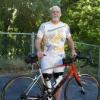
I was banded on February 7, 2012 my starting weigh was 250 pounds, I wore a size 22 and my BMI was 37.

post-208361-13813134726306_thumb.jpg

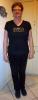
Today I weigh 171 (lost 79 pounds), I wear a size 10 and my BMI is normal at 25!

stacy.bmp

post-339289-13813141097609_thumb.jpg

post-339289-13813141098436_thumb.jpg

  • Replies 26
  • Views 3.6k
  • Created
  • Last Reply

Featured Replies

I'm so proud of you my banded sister!! You have done an amazing job and are such an inspiration to us still reaching for our goals.

Happy bandiversary!!!!!!!!!!!!!!!!!!!!!!!!!!! Churros for everyone! LOL

Seriously, great job!!

you look amazing! I only hope I can look as great as you in a year to a year and half. Congrats!!!

You look amazing!! Congratulations!!

You look great! I can't wait til one year from now!

You not only look amazing, but you are amazing, Congratulations!

Thank you for your inspiration and continued support.

I don't see no churros...........

Absolutely amazing.... I looooove that wine shirt!!!! I want 1!!!!

  • Author

Thanks everyone. I couldn't of succeeded without the love & support from family & friends, especially my LBT family. You guys are awesome.

Happy day AJ! You worked hard, now go strut your stuff! Congratulations!!!

You look fabulous!! Congrats!! :)

great!! congrats..

You look fantastic, to look at your after pic you wouldn't even think you had a weight problem.

Archived

This topic is now archived and is closed to further replies.

Account

Navigation

Search

Search

Configure browser push notifications

Chrome (Android)
  1. Tap the lock icon next to the address bar.
  2. Tap Permissions → Notifications.
  3. Adjust your preference.
Chrome (Desktop)
  1. Click the padlock icon in the address bar.
  2. Select Site settings.
  3. Find Notifications and adjust your preference.