mickeybeyes
LAP-BAND Patients
-
Joined
-
Last visited
-
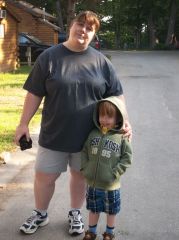
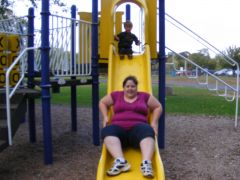
mickeybeyes, a weight loss surgery photo album by mickeybeyes on BariatricPal. 7 photos in Before and After Lap Band Photos.
-
-
Voted and shared. Good luck!!
-
-
-
-
My port felt higher than my incision after losing weight to. I am about 7 weeks post op and have had 2 fills. It seems higher when I stand up and lower when I lay down (weird I know). When the doctor did my fills he goes below my scar so I assume everything is just fine. Good luck to you! :-)
-
Congratulations!! I love hearing good news about the band! It is very inspirational.
-
I panicked before surgery too. Everything will fall into place. I too LOVE food and now I just enjoy it in smaller portions. I also co sleep with a very active 4 year old and never had an issue. Like everyone said....breathe!! You will do fine! :-)
-
-
-
Congratulations!!
-
-
-
My doctor told me to feel it when I went in for my first post op visit. Until then I hadn't really tried because I am a big baby and was afraid. I could feel it right away without pushing down. Of course I got woozy the first time and it took me a bit before I felt it again but now I find myself feeling it a lot. Tried to get kids and parents to feel it but no takers.....lol.
-
-
-
Amazing!! Great job so far. You look great! :-)
-
-
-
-
Thank you sooooo much. My husband bought me the nutribullet for Christmas in preparation for my surgery (January 30). I have yet to use it for protein shakes. These look delicious!! I am printing it out too!! :-)
-
Great job with your success so far. I just had my first fill of 3.5cc and I am starving ( I am still on liquids though). I am hoping when I go to mushies the hunger will subside. Good luck to you. :-)
-
-
congratulations and good luck to you too!
-
Thanks. I had 3.5cc put in my 10cc band. Not using flour.
-
I had my first fill today and almost passed out. It didn't hurt or anything but I got myself all worked up and scared. I felt so silly after laying down with a cold compress.....I am such a baby. Anyway, my question is......I am starving....is that normal? I am on clear fluids for two days then full fluids for two and so on. Am I going to feel hungry the whole time? I thought I would feel full easy like after surgery. Thoughts??
-
-
Great job....congratulations!!
-
Mine also required 6 months and it ended up being 9 months. I was discouraged when I was first told, but it flew by. Just hang in there and jump through those hoops. Before you know it you will be banded. Good luck. :-)